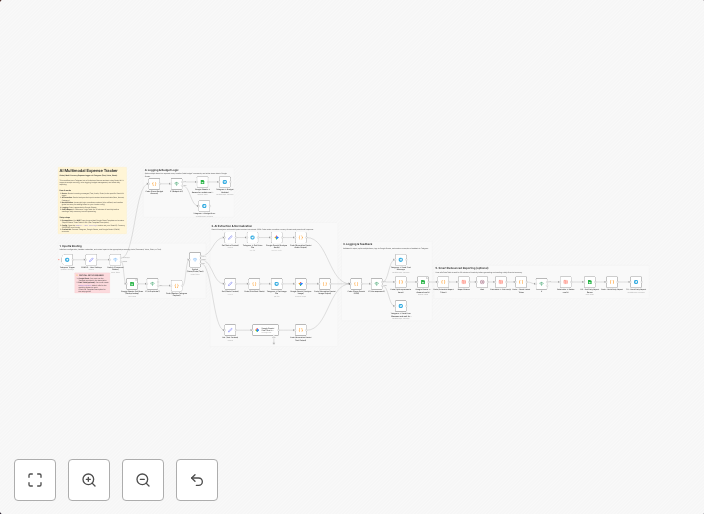
AI expense tracker: Telegram voice/photo/text to sheets
Why I built this? (The Problem)Most expense tracker apps (like Money Lover, Spendee, or Wallet) have a common friction point: Data Entry. You have to unlock...
Get This WorkflowAbout This Workflow
What This Workflow Does
This n8n automation workflow integrates AI with expense tracking, allowing users to automatically log expenses from Telegram voice, photo, and text messages to Google Sheets. By automating data entry, users can save time and reduce manual effort. The workflow utilizes AI chatbots to accurately categorize and record expenses.
Who Should Use This
This workflow is ideal for individuals or small businesses who frequently use Telegram for communication and want to streamline their expense tracking process. It's particularly useful for those who struggle with manual data entry or want to simplify their accounting and bookkeeping tasks.
Key Features
- Automated expense logging: The workflow extracts and categorizes expenses from Telegram voice, photo, and text messages using AI technology.
- Real-time data entry: Expenses are automatically recorded in Google Sheets, eliminating the need for manual data entry.
- Accurate expense tracking: AI-powered categorization ensures accurate and consistent expense tracking, reducing errors and improving financial insights.
How to Get Started
To use this workflow, import it into your n8n account and customize the Telegram and Google Sheets integrations to match your account credentials. Then, link your Telegram chat to the workflow and configure the expense categories to match your specific needs.
Use This Workflow in n8n →Similar Workflows




Affiliate Disclosure: We may earn a commission if you sign up for n8n through our links. This doesn't affect our recommendations.