AI-powered webinar feedback replies with GPT-4, Google Sheets, and Gmail
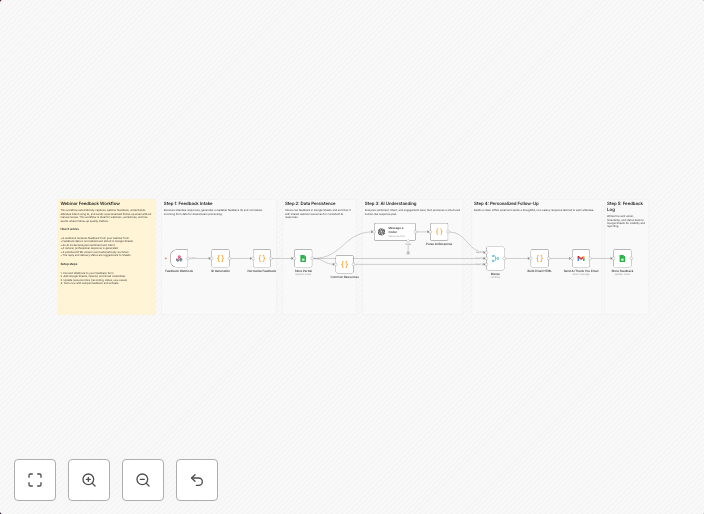
How it worksThis workflow captures webinar feedback through a webhook and normalizes the submitted data for processing. It stores raw feedback in Google...
Get This WorkflowAbout This Workflow
What This Workflow Does
This workflow automatically generates AI-powered webinar feedback replies using GPT-4, allowing you to streamline your customer engagement process. It captures and normalizes feedback, stores raw data in Google Sheets, and responds to customers through Gmail. The workflow reduces manual effort and increases efficiency in managing webinar feedback.
Who Should Use This
This workflow is ideal for developers, marketers, and business owners who host webinars and want to improve customer engagement through AI-powered feedback replies.
Key Features
- Captures and normalizes webinar feedback through webhooks
- Stores raw feedback in Google Sheets for review and analysis
- Uses GPT-4 to generate AI-powered replies for customers
- Integrates with Gmail for automated email responses
How to Get Started
To use this workflow, simply import it into your n8n instance and customize the workflow settings to match your Google Sheets and Gmail accounts. This will enable you to start capturing and responding to webinar feedback automatically.
Use This Workflow in n8n →Similar Workflows




Affiliate Disclosure: We may earn a commission if you sign up for n8n through our links. This doesn't affect our recommendations.