Auto-categorize blog posts with OpenAI GPT-4, GitHub, and Google Sheets for Astro/Next.js
Automatically Assign Categories and Tags to Blog Posts with AI This workflow streamlines your content organization process by automatically analyzing new...
Get This WorkflowAbout This Workflow
What This Workflow Does
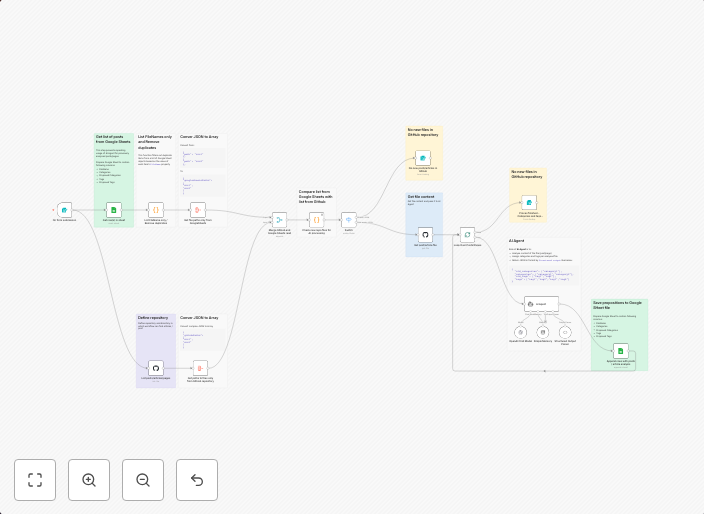
This workflow automates the process of categorizing blog posts using OpenAI GPT-4, GitHub, and Google Sheets for Astro/Next.js projects. It enables you to easily organize and manage your content by automatically assigning categories and tags to new blog posts. This streamlines your content organization process and saves you time and effort.
Who Should Use This
This workflow is ideal for web developers, marketers, and business owners who maintain a blog or content platform built with Astro/Next.js and want to automate the content organization process.
Key Features
- Automated Category Assignment: Uses OpenAI GPT-4 to analyze new blog posts and assign relevant categories.
- Tagging and Labeling: Automatically adds tags and labels to blog posts based on the analysis.
- Integration with GitHub and Google Sheets: Connects to your GitHub repository and Google Sheets for seamless data synchronization.
- Customizable: Allows you to customize the workflow to fit your specific needs and content organization requirements.
How to Get Started
To use this workflow, import it into your n8n account and customize the settings to match your GitHub repository, Google Sheets, and OpenAI GPT-4 credentials. Configure the workflow to match your blog post format and content structure for optimal results.
Use This Workflow in n8n →Similar Workflows




Affiliate Disclosure: We may earn a commission if you sign up for n8n through our links. This doesn't affect our recommendations.