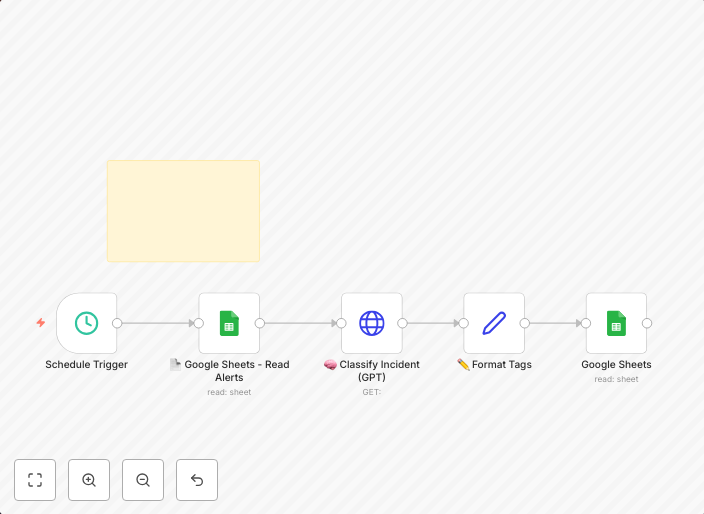
Auto-classify security incidents with GPT-4 and Google Sheets for SOC teams
👤 Who it’s forBlue Team leads, SOC analysts, and IT responders looking to automatically classify security alerts using AI-driven logic and asset-based risk...
Get This WorkflowAbout This Workflow
What This Workflow Does
This n8n automation workflow uses GPT-4 to automatically classify security incidents and prioritize them based on asset-based risk. It integrates with Google Sheets to provide a scalable and organized way for SOC teams to manage and respond to security alerts. By automating the classification process, this workflow helps reduce manual effort and improves incident response time.
Who Should Use This
This workflow is designed for Blue Team leads, SOC analysts, and IT responders who want to leverage AI-driven logic to streamline their security incident response processes. It's ideal for teams looking to enhance their security operations with automation and data-driven insights.
Key Features
- Automated Classification: Uses GPT-4 to classify security incidents and assign risk scores based on asset-based criteria.
- Google Sheets Integration: Stores and updates incident data in a centralized Google Sheet for easy review and analysis.
- Scalable Incident Management: Handles large volumes of security alerts and provides a structured approach to incident response.
- Customizable Logic: Allows users to adjust the classification criteria and risk scoring to suit their organization's specific needs.
How to Get Started
To start using this workflow, simply import it into your n8n environment and customize the Google Sheets integration to match your team's data storage needs. Then, connect your security alert sources to trigger the workflow and begin automating your incident classification and prioritization processes.
Use This Workflow in n8n →Similar Workflows




Affiliate Disclosure: We may earn a commission if you sign up for n8n through our links. This doesn't affect our recommendations.