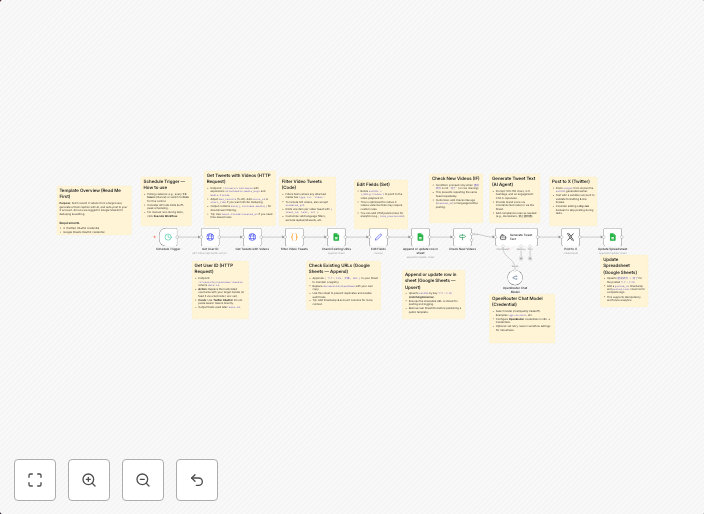
Auto-post X videos with OpenRouter AI captions & Google Sheets deduplication
Who’s it for Marketers, creators, and social managers who want hands-off reposting of a specific X (Twitter) user’s videos — with on-brand AI captions and...
Get This WorkflowAbout This Workflow
What This Workflow Does
This workflow automates the process of reposting X videos from a specific Twitter user, adding on-brand captions generated by OpenRouter AI, and ensuring that duplicate videos are not posted using Google Sheets deduplication. It streamlines social media posting for marketers, creators, and social managers, saving time and effort. The workflow also integrates AI-powered captioning for a more personalized touch.
Who Should Use This
This workflow is ideal for marketers, creators, and social managers who manage social media accounts and want to automate the process of reposting high-quality content with engaging captions.
Key Features
- Reposts X videos from a specific Twitter user: The workflow continuously monitors the target Twitter account and reposts the specified number of videos.
- AI-generated captions with OpenRouter: Uses OpenRouter AI to generate on-brand and relevant captions for each video, enhancing engagement and accessibility.
- Google Sheets deduplication: Checks for duplicate videos using Google Sheets and prevents duplicate postings, ensuring a unique and varied content stream.
- Automated social media posting: Saves time and effort by automating the posting process, allowing for more focus on content creation and strategy.
How to Get Started
To start using this workflow, import it into your n8n account and customize it by specifying the target Twitter user, the number of videos to repost, and integrating your Google Sheets account.
Use This Workflow in n8n →Similar Workflows




Affiliate Disclosure: We may earn a commission if you sign up for n8n through our links. This doesn't affect our recommendations.