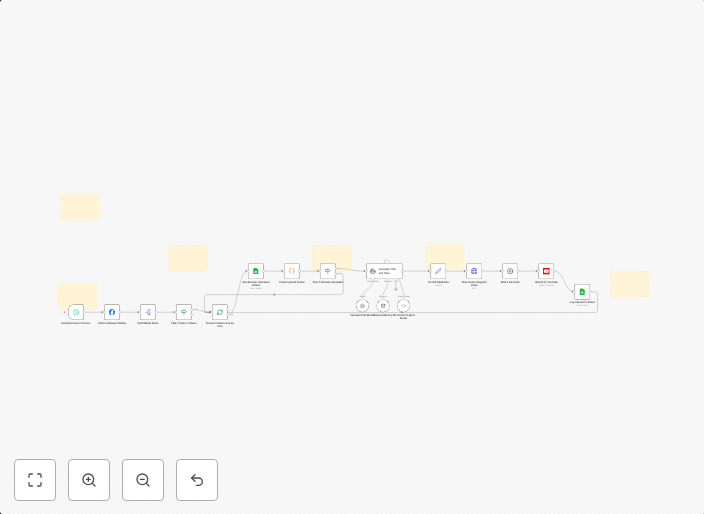
Auto-upload Instagram videos to YouTube with GPT-4o and Google Sheets tracking
📊 DescriptionAutomate your cross-platform publishing workflow by automatically uploading Instagram videos to YouTube with AI-optimized titles and tags....
Get This WorkflowAbout This Workflow
What This Workflow Does
Automate the process of uploading Instagram videos to YouTube with optimized titles and tags generated using AI from GPT-4o. This workflow streamlines cross-platform publishing and content management, saving time and effort. It also enables tracking of video uploads using Google Sheets.
Who Should Use This
This workflow is ideal for marketers, business owners, and social media managers who want to save time and increase efficiency in their content publishing workflows. It's also suitable for developers looking to integrate AI-powered content optimization into their social media publishing processes.
Key Features
- AI-Optimized Titles and Tags: GPT-4o generates titles and tags for YouTube videos based on the content of the Instagram video.
- Automated Video Upload: The workflow uploads Instagram videos to YouTube without manual intervention.
- Google Sheets Tracking: Video uploads are tracked and recorded in a Google Sheets spreadsheet for easy monitoring and analysis.
- Multimodal AI Integration: The workflow leverages the capabilities of GPT-4o to optimize content for YouTube and enhance content discoverability.
How to Get Started
To start using this workflow, import it into your n8n instance and customize the settings to match your social media accounts and Google Sheets setup. You can then use the workflow to automate your cross-platform publishing process and start optimizing your content for YouTube.
Use This Workflow in n8n →Similar Workflows




Affiliate Disclosure: We may earn a commission if you sign up for n8n through our links. This doesn't affect our recommendations.