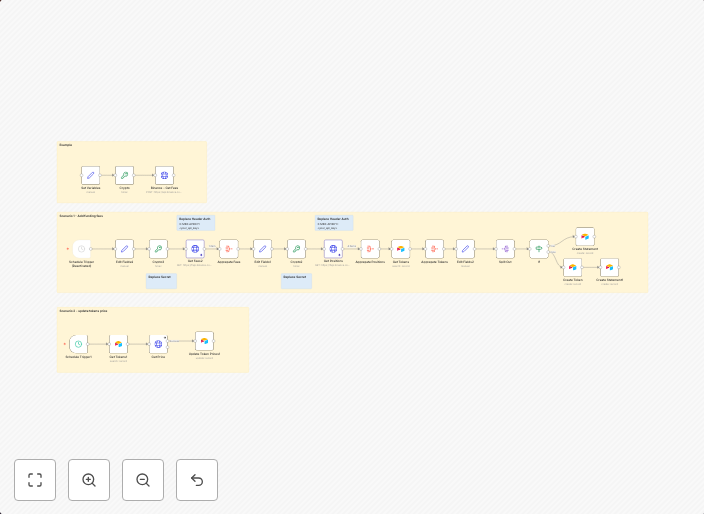
Automate cryptocurrency funding fee tracking with Binance API and Airtable
Video Guide I prepared a detailed guide that showed the whole process of integrating the Binance API and storing data in Airtable to manage funding...
Get This WorkflowAbout This Workflow
What This Workflow Does
Automates cryptocurrency funding fee tracking by connecting to the Binance API and storing data in Airtable, making it easier to manage funding fees for cryptocurrency trades. This workflow provides a seamless integration of Binance and Airtable to streamline data management. It reduces manual effort and minimizes errors in tracking funding fees.
Who Should Use This
This workflow is suitable for cryptocurrency traders, especially those using Binance, who want to automate the process of tracking funding fees and manage their data efficiently. It can also be useful for businesses or organizations that deal with cryptocurrency transactions and need to keep track of funding fees.
Key Features
- Integrates with the Binance API to fetch funding fee data.
- Stores data in Airtable for easy access and management.
- Automates the process of tracking funding fees, reducing manual effort and minimizing errors.
- Provides a seamless integration of Binance and Airtable, making it easier to manage data.
How to Get Started
To get started with this workflow, import it into n8n and review the nodes to understand how it works. Customize the workflow as needed by setting up your Binance API credentials and Airtable base, and then start the workflow to begin tracking your funding fees.
Use This Workflow in n8n →Similar Workflows




Affiliate Disclosure: We may earn a commission if you sign up for n8n through our links. This doesn't affect our recommendations.