Automate Digital Delivery After PayPal Purchase Using n8n
Automate Digital Delivery After PayPal Purchase Using n8n A Complete Step-by-Step Guide to Seamless Template Delivery Built by Amjid Ali – SyncBricks...
Get This WorkflowAbout This Workflow
What This Workflow Does
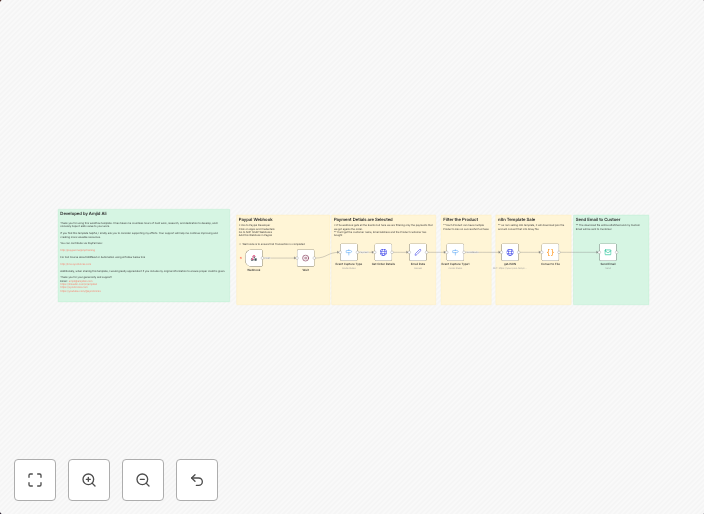
This automation workflow is designed to automatically deliver digital products to customers after they complete a purchase on PayPal. It seamlessly connects with PayPal and other integrated services to streamline the delivery process, ensuring a smooth experience for customers and reducing administrative tasks.
Who Should Use This
This workflow is ideal for digital product creators, such as e-book authors, course developers, and software sellers, who want to automate the delivery of their products after a successful payment.
Key Features
- Automated Digital Delivery: The workflow automatically sends digital products to customers after a successful PayPal payment, saving time and reducing manual errors.
- Seamless Integration: The workflow integrates with PayPal and other services to ensure a smooth and efficient delivery process.
- Customizable: The workflow can be easily customized to fit your specific business needs and digital product delivery requirements.
- Error Handling: The workflow includes error handling to ensure that any issues that may arise during delivery are quickly identified and resolved.
How to Get Started
To use this workflow, simply import it into your n8n instance and customize the settings to fit your specific business needs. Then, connect your PayPal account and configure the workflow to deliver your digital products automatically after a successful payment.
Use This Workflow in n8n →Similar Workflows




Affiliate Disclosure: We may earn a commission if you sign up for n8n through our links. This doesn't affect our recommendations.