Automate travel expense extraction with OCR, Mistral AI and Supabase
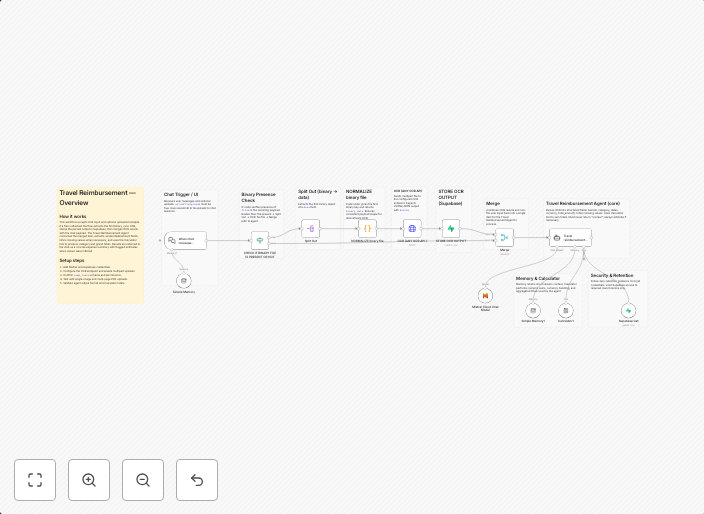
Travel Reimbursement - OCR & Expense Extraction Workflow OverviewThis is a lightweight n8n workflow that accepts chat input and uploaded receipts, runs OCR,...
Get This WorkflowAbout This Workflow
What This Workflow Does
This workflow automates the process of extracting travel expenses from uploaded receipts using Optical Character Recognition (OCR) and Mistral AI, and then stores the extracted data in Supabase. The workflow accepts chat input, making it easy to interact with and initiate the expense extraction process. This automation streamlines the travel reimbursement process by accurately and efficiently extracting necessary information.
Who Should Use This
This workflow is ideal for developers, business owners, and finance teams who manage travel expenses and require a reliable, automated solution for extracting data from receipts. It is particularly useful for organizations that handle a high volume of travel expense reports.
Key Features
- OCR-based Expense Extraction: Automatically extracts relevant information from uploaded receipts using OCR technology.
- Mistral AI Integration: Utilizes AI-powered data extraction to improve accuracy and speed of the expense extraction process.
- Supabase Data Storage: Stores extracted data in a secure and scalable database for easy management and analysis.
- Chat Input Interface: Allows users to initiate the expense extraction process via chat input, making it easy to interact with the workflow.
How to Get Started
To get started with this workflow, simply import it into your n8n instance and customize it to suit your organization's specific needs, such as integrating it with your existing expense reporting system or modifying the OCR settings for improved accuracy.
Use This Workflow in n8n →Similar Workflows




Affiliate Disclosure: We may earn a commission if you sign up for n8n through our links. This doesn't affect our recommendations.