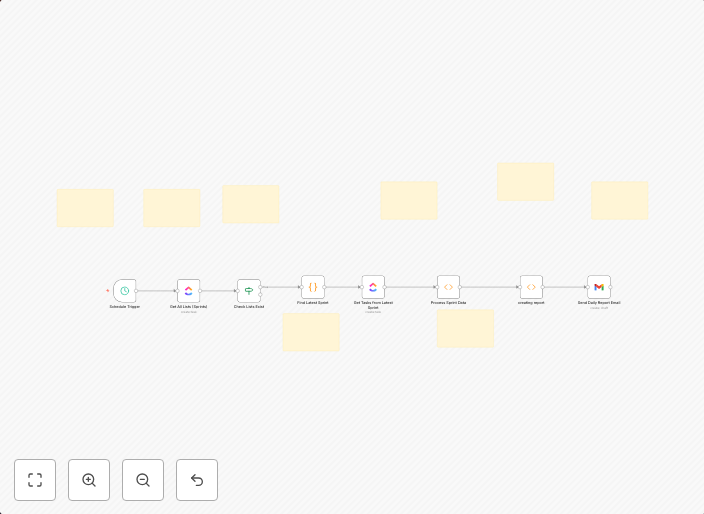
Automated ClickUp time tracking reports & task performance analytics via Gmail
Description Automate your time tracking and task performance reporting with this comprehensive workflow that transforms ClickUp data into actionable...
Get This WorkflowAbout This Workflow
What This Workflow Does
Automate time tracking and task performance reporting for your ClickUp projects by sending tailored reports via Gmail. This workflow integrates ClickUp data with Multimodal AI to provide actionable insights. It streamlines reporting and analytics, saving you time and effort.
Who Should Use This
This workflow is ideal for project managers, business owners, and team leads who want to optimize their ClickUp projects by leveraging data-driven insights. It's also suitable for developers, marketers, and other professionals who use ClickUp for project management.
Key Features
- Time tracking reports: Automatically generate reports on time spent on tasks and projects, sent directly to your Gmail inbox.
- Task performance analytics: Get real-time insights on task completion rates, duration, and resource allocation, enabling data-driven decision-making.
- Customizable reporting: Tailor your reports to fit your specific needs and preferences using Multimodal AI's capabilities.
- Seamless ClickUp integration: Leverage your existing ClickUp data to drive actionable insights and reporting.
How to Get Started
Import the workflow into your n8n account, then customize the triggers, filters, and email settings to fit your specific ClickUp projects and reporting needs.
Use This Workflow in n8n →Similar Workflows




Affiliate Disclosure: We may earn a commission if you sign up for n8n through our links. This doesn't affect our recommendations.