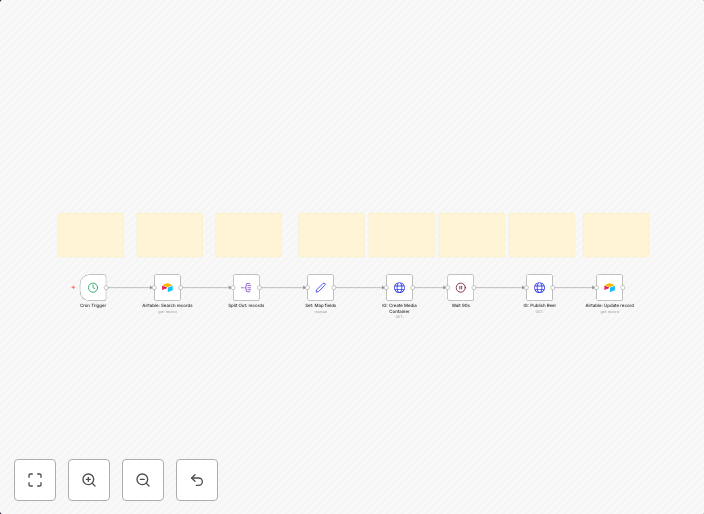
Automated Instagram Reels posting from Airtable content calendar
A guide to understand, operate, and extend the workflow. 1) What this workflow does (and why it’s useful) Goal: Turn a simple Airtable sheet into a content...
Get This WorkflowAbout This Workflow
What This Workflow Does
This n8n automation workflow is designed to automatically post content from an Airtable content calendar to Instagram Reels. It streamlines the process of publishing content, saving time and effort for users. By connecting Airtable with Instagram, this workflow enables seamless synchronization of content across platforms.
Who Should Use This
This workflow is suitable for social media marketers, content creators, and business owners who rely on Airtable for content planning and want to automate their Instagram Reels posting process.
Key Features
- Automated Content Synchronization: Connects Airtable with Instagram to sync content, eliminating manual posting.
- Effortless Posting: Posts content from Airtable to Instagram Reels with a single trigger, saving time and reducing errors.
- Customizable: Allows users to tailor the workflow to their specific content calendar and posting schedule.
- Integration with Airtable: Leverages Airtable's content calendar to streamline content planning and posting.
How to Get Started
To use this workflow, import it into your n8n account and customize the Airtable and Instagram settings to match your specific content calendar and posting requirements. This will enable you to automate your Instagram Reels posting process and start publishing content seamlessly.
Use This Workflow in n8n →Similar Workflows




Affiliate Disclosure: We may earn a commission if you sign up for n8n through our links. This doesn't affect our recommendations.