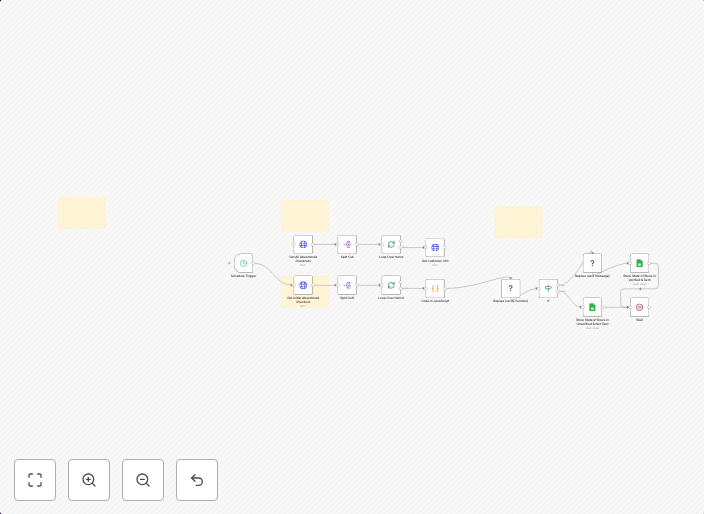
Automated Shopify abandoned cart recovery with WhatsApp messages & Google Sheets
Who Is This For?This workflow is perfect for e-commerce store owners using Shopify who want to automatically recover abandoned carts through personalized...
Get This WorkflowAbout This Workflow
What This Workflow Does
This n8n automation workflow is designed to automatically recover abandoned carts in Shopify by sending personalized WhatsApp messages and updating a Google Sheets spreadsheet. The workflow helps e-commerce store owners recover lost sales by re-engaging customers who left items in their carts. By automating this process, business owners can save time and increase the chances of converting abandoned carts into sales.
Who Should Use This
This workflow is perfect for Shopify store owners, e-commerce marketers, and business owners who want to implement an automated abandoned cart recovery strategy to boost sales and customer engagement.
Key Features
- Sends personalized WhatsApp messages to customers who abandoned their carts, increasing the chances of converting them into sales.
- Updates a Google Sheets spreadsheet with cart abandonment data, allowing for easy tracking and analysis.
- Automates the recovery process, saving time and resources for business owners.
- Integrates with Shopify to retrieve abandoned cart data in real-time.
How to Get Started
To use this workflow, simply import it into your n8n account and customize the settings to match your Shopify store and Google Sheets integration. From there, you can tailor the workflow to fit your specific business needs and start recovering abandoned carts with automated WhatsApp messages and Google Sheets reporting.
Use This Workflow in n8n →Similar Workflows




Affiliate Disclosure: We may earn a commission if you sign up for n8n through our links. This doesn't affect our recommendations.