Automatically prune n8n execution history
Automated Execution Pruning This workflow is designed to help you manage and optimize your n8n instance by automatically pruning old workflow executions,...
Get This WorkflowAbout This Workflow
Automatically Prune n8n Execution History
What This Workflow Does
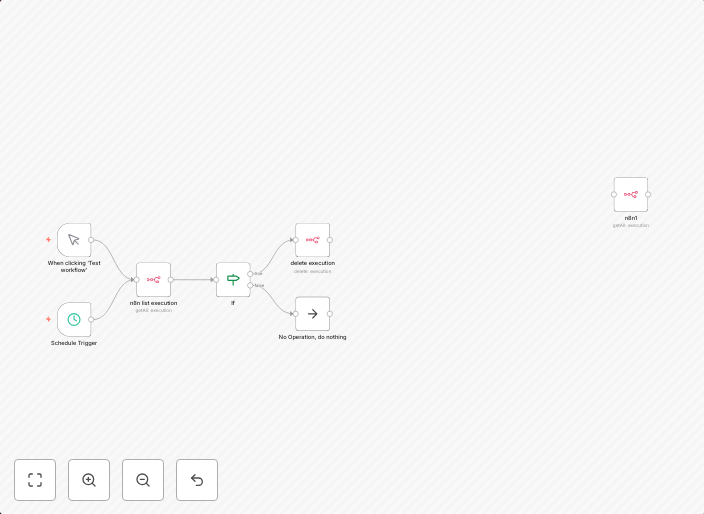
This workflow automates the process of pruning old workflow executions in n8n, helping you optimize storage usage and improve performance. It periodically deletes execution records that are older than a specified time threshold, ensuring your instance remains clutter-free and efficient. By implementing this workflow, you can maintain a healthy and scalable n8n environment.
Who Should Use This
Developers and DevOps teams will benefit from this automation, as it helps them manage their n8n instance, reduce storage consumption, and improve overall performance.
Key Features
- Prunes workflow executions older than a set time duration
- Customizable pruning frequency and time threshold
- Efficiently manages n8n storage usage
- Improves performance by reducing the number of stored execution records
How to Get Started
To use this workflow, import it into your n8n instance and adjust the pruning frequency and time threshold settings according to your specific needs.
Use This Workflow in n8n →Similar Workflows




Affiliate Disclosure: We may earn a commission if you sign up for n8n through our links. This doesn't affect our recommendations.