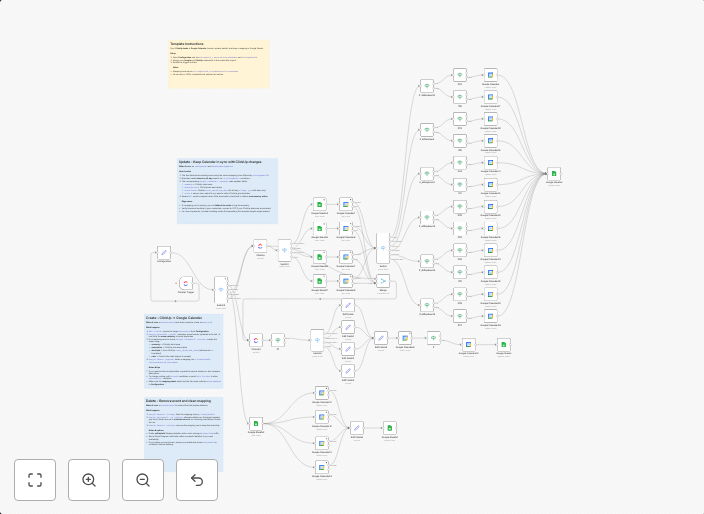
Bidirectional ClickUp task & Google Calendar sync with multi-calendar routing
Who’s it forTeams that manage tasks in ClickUp and want those tasks reflected—and kept in sync—in Google Calendar automatically. How it worksA ClickUp...
Get This WorkflowAbout This Workflow
What This Workflow Does
This workflow automates the bidirectional sync between ClickUp tasks and Google Calendar, ensuring that all task updates are reflected in Google Calendar and vice versa. It also supports multi-calendar routing, allowing tasks to be assigned to specific calendars. This sync helps teams maintain a seamless and up-to-date task and calendar system.
Who Should Use This
This workflow is ideal for project managers, team leaders, and business owners who use ClickUp for task management and Google Calendar for scheduling. It's perfect for teams that want to maintain a centralized and automated workflow between these two essential tools.
Key Features
- Bidirectional Sync: Automatically syncs task updates between ClickUp and Google Calendar, ensuring both systems are up-to-date.
- Multi-Calendar Routing: Allows tasks to be assigned to specific Google Calendars, enabling more organized and customized calendar management.
- Automatic Task Synchronization: Ensures that task details, such as due dates and reminders, are reflected in both ClickUp and Google Calendar.
How to Get Started
To use this workflow, simply import it into your n8n account and customize the settings to fit your team's specific needs. You can adjust the workflow to match your ClickUp and Google Calendar configurations, ensuring a seamless and automated sync between the two systems.
Use This Workflow in n8n →Similar Workflows




Affiliate Disclosure: We may earn a commission if you sign up for n8n through our links. This doesn't affect our recommendations.