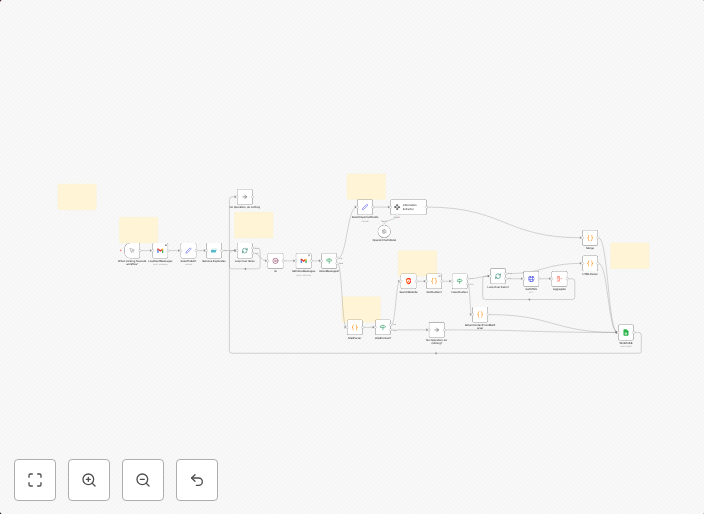
Build Gmail contact database with GPT-5 Nano, Brave Search & Google Sheets
Overview Transform your Gmail sent folder into a comprehensive, enriched contact database automatically. This workflow processes hundreds or thousands of...
Get This WorkflowAbout This Workflow
What This Workflow Does
This workflow automates the process of transforming your Gmail sent folder into a comprehensive, enriched contact database. It utilizes GPT-5 Nano for AI-driven summarization and Brave Search for information gathering, and stores the results in Google Sheets. The outcome is a streamlined and easily accessible contact database that can be used for lead generation and business development.
Who Should Use This
This workflow is ideal for business owners, marketers, and developers who want to leverage their Gmail sent folder as a valuable resource for lead generation and customer insights.
Key Features
- AI-powered contact enrichment: GPT-5 Nano is used to summarize and provide insights about each contact, creating a rich and detailed database.
- Information gathering: Brave Search is integrated to gather additional information about each contact, enhancing the database with relevant data.
- Automated data storage: The workflow automatically stores the results in Google Sheets, making it easy to access and analyze the data.
- Scalability: The workflow can process hundreds or thousands of contacts, making it suitable for businesses with large contact lists.
How to Get Started
To get started, simply import the workflow into your n8n account and customize the settings to fit your specific needs. You can then connect your Gmail account, configure the workflow to process your sent folder, and start generating a comprehensive contact database.
Use This Workflow in n8n →Similar Workflows




Affiliate Disclosure: We may earn a commission if you sign up for n8n through our links. This doesn't affect our recommendations.