Convert CAD & BIM (Revit, IFC, AutoCAD) in dataBase (DataFrame)
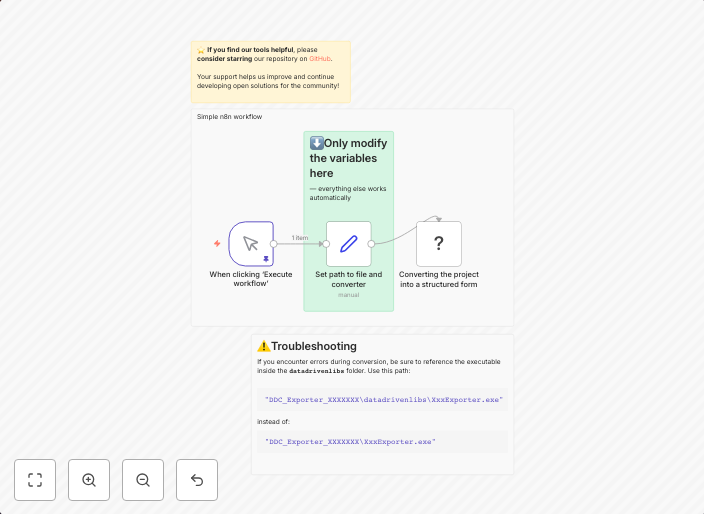
A minimal workflow to convert a Revit/IFC/DWG project into analysis-ready XLSX (and optional DAE) with a single run. Set two variables, execute, and the...
Get This WorkflowAbout This Workflow
What This Workflow Does
This n8n automation workflow is designed to convert CAD and BIM (Revit, IFC, AutoCAD) files into analysis-ready data formats, specifically XLSX files, with the option to also export in DAE format. It streamlines the process of preparing projects for analysis by automating the conversion process. With this workflow, users can easily generate analysis-ready data with a single run.
Who Should Use This
This workflow is ideal for engineers and developers who work with CAD and BIM files and need to analyze or process the data contained within. It can be a valuable tool for anyone who wants to automate the conversion of CAD and BIM files into a format that can be easily analyzed or manipulated.
Key Features
- Converts Revit, IFC, and AutoCAD files to analysis-ready XLSX format
- Option to export in DAE format
- Automates the conversion process with a single run
- No manual intervention required for data conversion
- Allows for efficient processing and analysis of CAD and BIM data
How to Get Started
To use this workflow, simply import it into your n8n account and set up the necessary variables, then execute the workflow to start the conversion process. Customize the workflow to fit your specific needs by adjusting the input and output settings as required.
Use This Workflow in n8n →Similar Workflows




Affiliate Disclosure: We may earn a commission if you sign up for n8n through our links. This doesn't affect our recommendations.