About This Workflow
What This Workflow Does
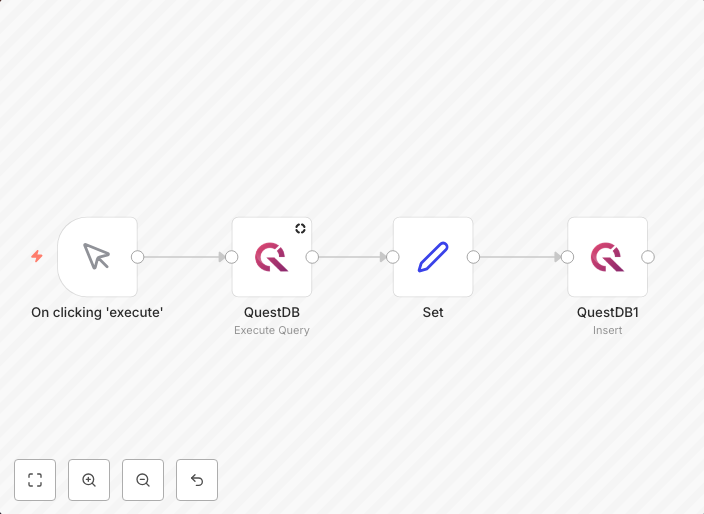
This workflow automates the process of creating a table in QuestDB and inserting data into it. It streamlines the data management process by eliminating manual steps and reducing the risk of human error. The workflow ensures that data is accurately and efficiently inserted into the QuestDB table.
Who Should Use This
This workflow is suitable for developers and data engineers who want to automate data management tasks and improve their workflow efficiency. It is also beneficial for teams working with QuestDB and looking to optimize their database operations.
Key Features
- Creates a table in QuestDB based on user input or dynamic configurations.
- Inserts data into the QuestDB table, supporting various data formats and sources.
- Provides flexibility in table configuration, allowing users to customize schema and properties.
- Can be used as a starting point for more complex data pipelines and workflows.
How to Get Started
To use this workflow, import it into your n8n instance and customize the workflow settings to fit your specific requirements. Configure the workflow's table creation and data insertion parameters according to your needs, and ensure that you have the necessary integrations set up with QuestDB.
Use This Workflow in n8n →Similar Workflows




Affiliate Disclosure: We may earn a commission if you sign up for n8n through our links. This doesn't affect our recommendations.