Create and post social media image captions with GPT-4.1-mini and Google Sheets
Social Media Posting Automation with Image and Caption How it worksThis AI-powered workflow streamlines your social media posting process, transforming...
Get This WorkflowAbout This Workflow
Create and post social media image captions with GPT-4.1-mini and Google Sheets
What This Workflow Does
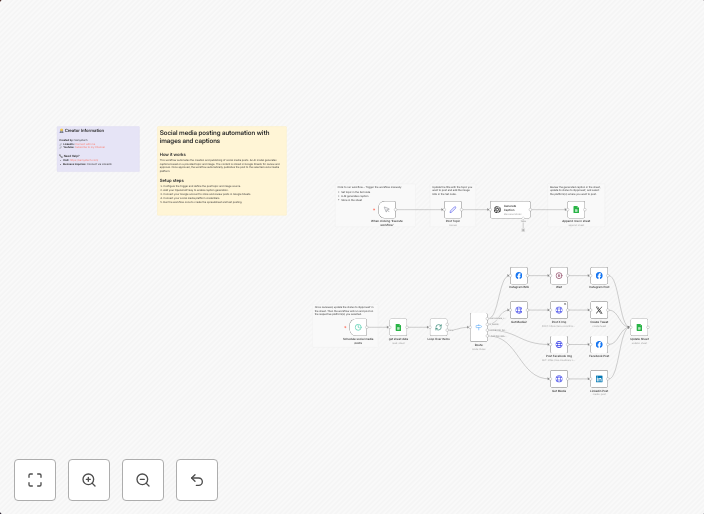
This workflow automates the process of creating social media image captions using GPT-4.1-mini and posting them on social media platforms. It streamlines the workflow by integrating GPT-4.1-mini with Google Sheets to generate captions and then posting them on social media platforms. This automation saves time and effort for social media managers and marketers.
Who Should Use This
This workflow is ideal for social media managers, marketers, and business owners who want to automate their social media posting process and want to generate creative and engaging captions using AI-powered tools.
Key Features
- Uses GPT-4.1-mini to generate unique and creative social media captions
- Integrates with Google Sheets to retrieve and store data
- Posts captions on social media platforms, including Facebook, Twitter, and Instagram
- Allows customization of captions based on specific keywords and hashtags
How to Get Started
To start using this workflow, import it into your n8n account and customize the settings to match your social media accounts and Google Sheets credentials. This will require creating credentials for your Google account and connecting your social media platforms to n8n.
Use This Workflow in n8n →Similar Workflows




Affiliate Disclosure: We may earn a commission if you sign up for n8n through our links. This doesn't affect our recommendations.