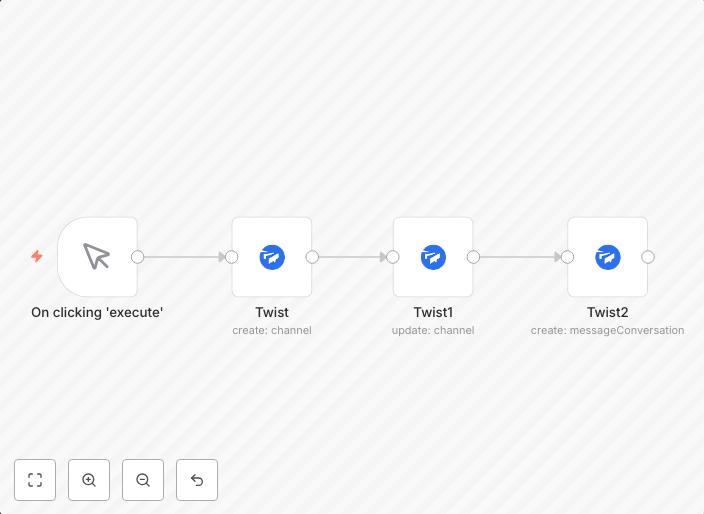
Create and update a channel, and send a message on Twist
workflow-screenshot
Get This WorkflowAbout This Workflow
What This Workflow Does
This workflow automates the creation and updating of a channel on Twist, followed by sending a message to notify users. It enables seamless integration and communication within teams using Twist, a collaboration platform. The workflow streamlines project management tasks by automating these repetitive actions.
Who Should Use This
This workflow is suitable for team members, project managers, and administrators who utilize Twist for collaboration and communication purposes in their project management workflow.
Key Features
- Create and update channels: Automatically create new channels on Twist and update existing ones with the latest information.
- Send notification messages: Send messages to notify users about channel updates, ensuring everyone stays informed and engaged.
- Integrate with Twist: Seamlessly integrate with Twist to automate tasks and enhance collaboration within teams.
How to Get Started
To use this workflow, simply import it into your n8n account, customize the settings to match your specific Twist channel and notification requirements, and start automating your project management tasks.
Use This Workflow in n8n →Similar Workflows



Affiliate Disclosure: We may earn a commission if you sign up for n8n through our links. This doesn't affect our recommendations.