About This Workflow
What This Workflow Does
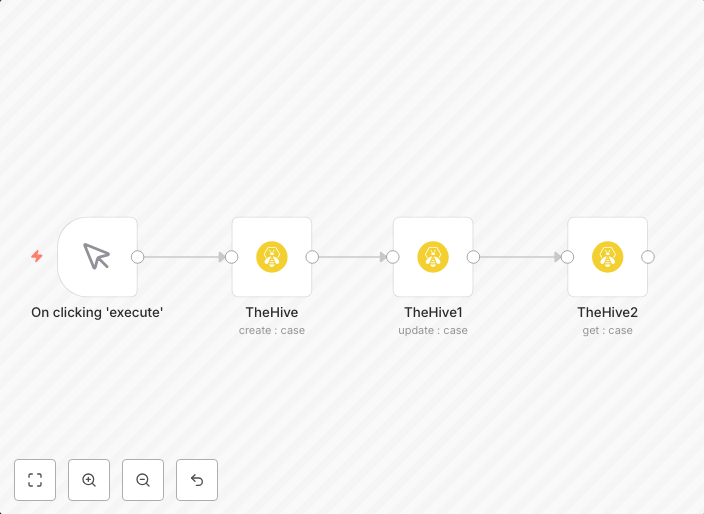
This workflow automates the creation, update, and retrieval of cases in TheHive, a security information and event management (SIEM) system used by Security Operation Centers (SecOps). It streamlines the process of managing cases within TheHive, improving efficiency and reducing manual errors. The workflow is designed to integrate with various data sources, making it a valuable tool for SecOps teams.
Who Should Use This
This workflow is ideal for Security Operation Center (SecOps) teams and professionals responsible for managing and analyzing security incidents within their organization. It is also beneficial for IT administrators and security analysts who need to automate case management tasks within TheHive.
Key Features
- Creates new cases in TheHive based on incoming data from various sources
- Updates existing cases in TheHive with fresh data from connected integrations
- Retrieves specific cases from TheHive for further analysis or action
- Supports integration with multiple data sources, including APIs and webhooks
How to Get Started
To start using this workflow, import it into your n8n instance and customize the settings to match your specific use case. You can adjust the workflow's nodes to connect with your desired data sources and integrate it with your existing SecOps tools and processes.
Use This Workflow in n8n →Similar Workflows




Affiliate Disclosure: We may earn a commission if you sign up for n8n through our links. This doesn't affect our recommendations.