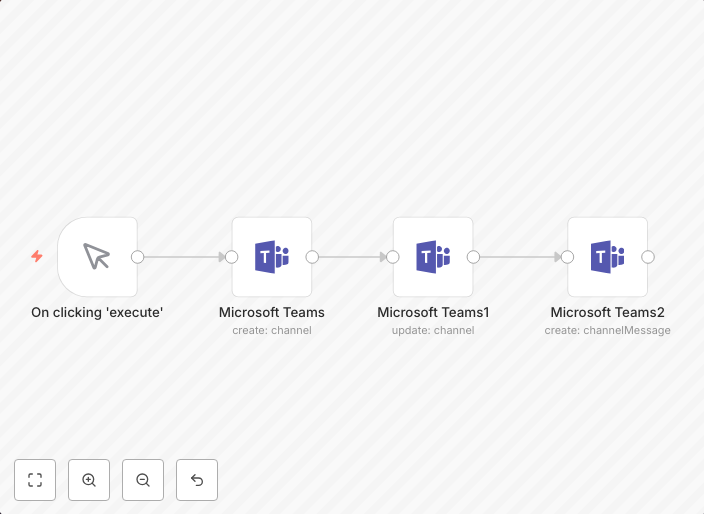
Create, update and send a message to a channel in Microsoft Teams
Companion workflow for Microsoft Teams node docs workflow-screenshot
Get This WorkflowAbout This Workflow
What This Workflow Does
This automation workflow creates, updates, and sends a message to a channel in Microsoft Teams. It allows users to automate the process of sending notifications and updates to team members, streamlining communication and collaboration within a project management context. With this workflow, users can easily maintain a record of tasks, updates, and progress in one centralized location.
Who Should Use This
This workflow is ideal for project managers, team leaders, and business owners who use Microsoft Teams for project management and team collaboration. They will benefit from automating the process of sending messages and updates to team members, saving time and increasing productivity.
Key Features
- Creates a new message in a Microsoft Teams channel
- Updates an existing message in a Microsoft Teams channel
- Sends a message to a specific channel in Microsoft Teams
- Integrates with various data sources to automate message creation and updates
How to Get Started
To use this workflow, simply import it into your n8n account and customize the settings to fit your specific use case. You can connect your Microsoft Teams account and configure the workflow to send messages to specific channels and update existing messages as needed.
Use This Workflow in n8n →Similar Workflows



Affiliate Disclosure: We may earn a commission if you sign up for n8n through our links. This doesn't affect our recommendations.