Digitize business cards with Thai OCR & save to Google Sheets or CRM
This n8n template demonstrates how to use Typhoon OCR + LLM to digitize business cards, enrich the extracted details, and save them directly into Google...
Get This WorkflowAbout This Workflow
What This Workflow Does
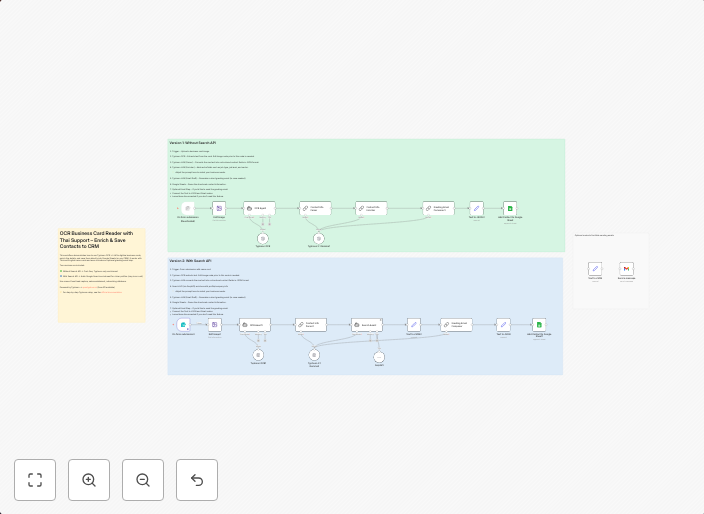
This n8n template automates the process of digitizing business cards using Thai OCR (Optical Character Recognition) and LLM (Large Language Model) capabilities. The workflow extracts information from scanned or photographed business cards, enriches the data through AI summarization, and saves the results directly to Google Sheets or a CRM (Customer Relationship Management) system.
Who Should Use This
This workflow is suitable for businesses and professionals who frequently receive business cards and want to efficiently process and store contact information. It's particularly useful for sales teams, marketing departments, and entrepreneurs who want to streamline their networking and lead management processes.
Key Features
- Thai OCR and LLM-powered data extraction: Extracts relevant information from business cards, including names, titles, phone numbers, and email addresses.
- AI-driven data enrichment: Uses LLM capabilities to summarize and enhance the extracted data, making it more accurate and useful.
- Seamless integration with Google Sheets or CRM: Saves the digitized business card data directly to Google Sheets or a CRM system, reducing manual data entry and increasing data consistency.
How to Get Started
To use this workflow, simply import it into your n8n environment and customize the settings to fit your specific needs. You'll need to connect your Google account or CRM system to n8n and adjust the workflow's configuration to match your data storage preferences.
Use This Workflow in n8n →Similar Workflows




Affiliate Disclosure: We may earn a commission if you sign up for n8n through our links. This doesn't affect our recommendations.