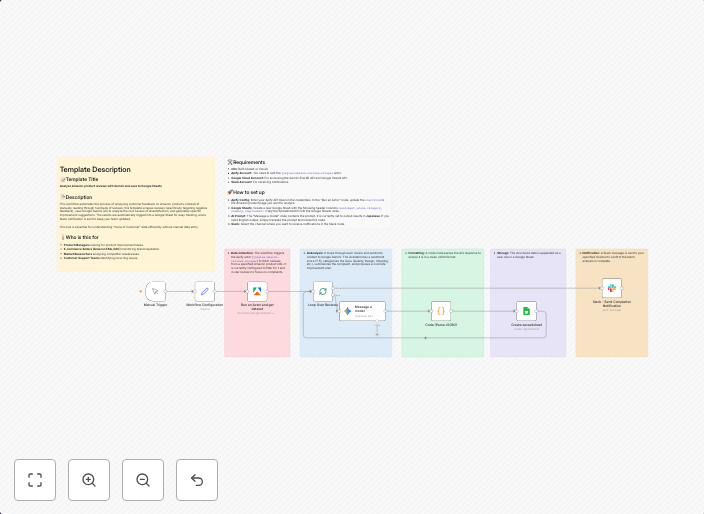
Extract & analyze Amazon reviews with Apify, Gemini AI & save to Google Sheets
Template Description 📝 Template TitleAnalyze Amazon product reviews with Gemini and save to Google Sheets 📄 DescriptionThis workflow automates the process...
Get This WorkflowAbout This Workflow
What This Workflow Does
This workflow extracts Amazon product reviews, analyzes them using Gemini AI, and saves the insights to a Google Sheets document. It automates the process of gathering and summarizing customer feedback, allowing users to gain valuable market research insights. By leveraging Apify and Gemini AI, this workflow streamlines the analysis of Amazon reviews, saving time and effort.
Who Should Use This
This workflow is ideal for marketers, business owners, and developers who want to conduct market research on Amazon products. It's particularly useful for those who need to analyze customer feedback, track product performance, or identify trends in the market.
Key Features
- Extracts Amazon product reviews using Apify
- Analyzes the reviews using Gemini AI for sentiment analysis and insights
- Saves the analysis results to a Google Sheets document
- Automates the process, saving time and effort for users
How to Get Started
To get started with this workflow, simply import it into your n8n account and customize the settings to suit your needs. Configure the workflow to extract reviews for your desired Amazon product and adjust the Gemini AI settings to analyze the data according to your requirements.
Use This Workflow in n8n →Similar Workflows




Affiliate Disclosure: We may earn a commission if you sign up for n8n through our links. This doesn't affect our recommendations.