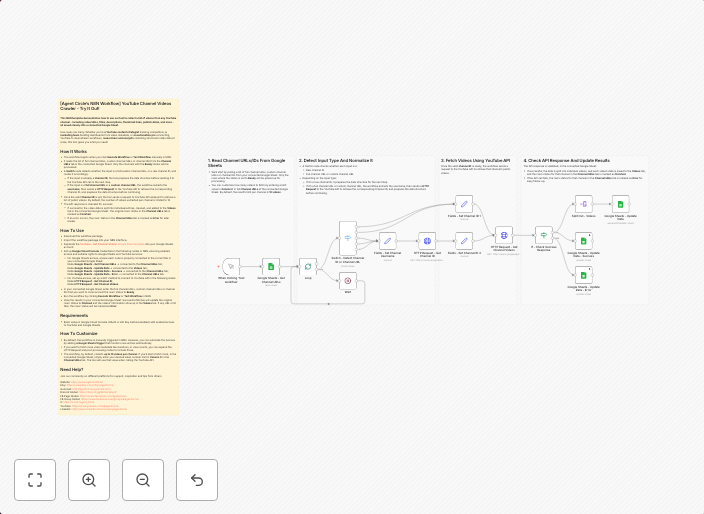
Extract YouTube channel videos to Google Sheets with metadata tracking
This N8N template demonstrates how to use our tool to collect a list of videos from any YouTube channel - including video URLs, titles, descriptions,...
Get This WorkflowAbout This Workflow
What This Workflow Does
This N8N workflow automates the process of extracting video metadata from a YouTube channel and storing it in a Google Sheets spreadsheet. It includes video URLs, titles, descriptions, and more. This workflow helps streamline market research tasks by providing a centralized location for video metadata.
Who Should Use This
This workflow is ideal for marketers, business owners, and researchers who need to collect and analyze video data from YouTube channels for market research, competitor analysis, or content creation purposes.
Key Features
- Extracts video metadata from a specified YouTube channel, including video URLs, titles, descriptions, and more.
- Stores the extracted metadata in a Google Sheets spreadsheet for easy access and analysis.
- Supports multiple YouTube channels and allows for filtering and sorting of video data.
How to Get Started
To use this workflow, import the N8N template and customize it by setting up your YouTube API credentials and Google Sheets integration. Follow the instructions and adjust the workflow settings to suit your specific requirements.
Use This Workflow in n8n →Similar Workflows




Affiliate Disclosure: We may earn a commission if you sign up for n8n through our links. This doesn't affect our recommendations.