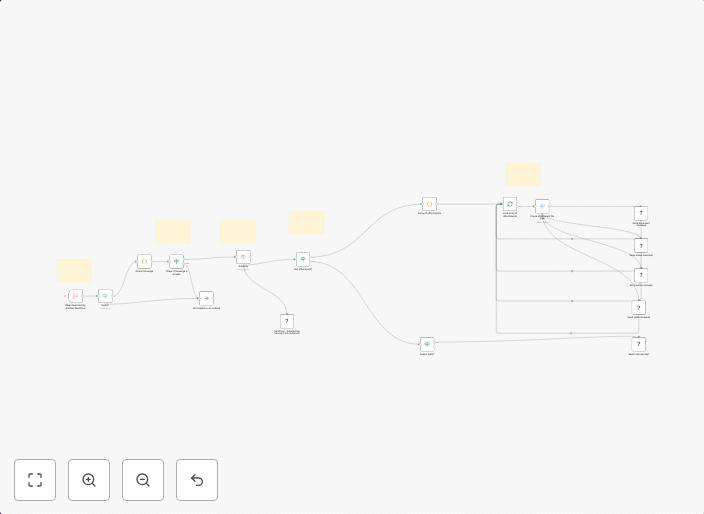
Forward Chatwoot Messages to WhatsApp via Evolution API with Media Support
DescriptionThis workflow automates forwarding messages received in Chatwoot to WhatsApp using the Evolution API. It provides full support for different...
Get This WorkflowAbout This Workflow
What This Workflow Does
This workflow automates the process of forwarding messages received in Chatwoot to WhatsApp using the Evolution API. It provides a seamless way to respond to customer inquiries and engage with users on multiple platforms. The workflow also supports media files, allowing users to send images and other attachments to WhatsApp.
Who Should Use This
This workflow is ideal for developers, marketers, and business owners who want to integrate their Chatwoot instance with WhatsApp and provide a multi-channel customer support experience. It's particularly useful for companies that want to automate their customer service workflows and respond to user inquiries efficiently.
Key Features
- Media Support: The workflow allows sending media files such as images and videos to WhatsApp.
- Chatwoot Integration: Seamlessly integrate Chatwoot with WhatsApp to forward messages and respond to user inquiries.
- Evolution API: Use the Evolution API to connect with WhatsApp and send messages programmatically.
- Automation: Automate the process of forwarding messages from Chatwoot to WhatsApp, saving time and increasing efficiency.
How to Get Started
To use this workflow, simply import it into your n8n instance and customize the settings to connect your Chatwoot and WhatsApp accounts. Configure the workflow to suit your specific needs, and start automating your customer service workflows today.
Use This Workflow in n8n →Similar Workflows



Affiliate Disclosure: We may earn a commission if you sign up for n8n through our links. This doesn't affect our recommendations.