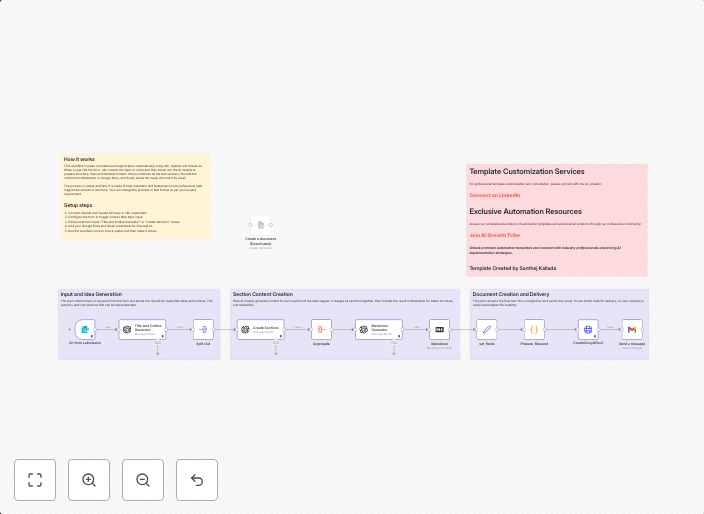
Generate complete lead magnets with OpenAI, Claude, and Google Docs automation
In this tutorial, I’ll walk you through a step-by-step N8N workflow that combines the power of OpenAI and Claude AI to generate professional, ready-to-use...
Get This WorkflowAbout This Workflow
What This Workflow Does
This n8n automation workflow uses OpenAI and Claude AI to generate complete lead magnets, including professional content, ready for immediate use. By automating the content creation process, businesses can save time and increase productivity. The workflow can be used to create high-quality lead magnets, such as eBooks, whitepapers, and more.
Who Should Use This
This workflow is ideal for content creators, marketers, and business owners who want to streamline their lead magnet creation process and produce high-quality content quickly. It is particularly useful for those who want to leverage the power of AI to automate routine tasks and focus on higher-level creative work.
Key Features
- AI-powered content generation: Generates professional content using OpenAI and Claude AI, eliminating the need for manual writing and editing.
- Multimodal AI integration: Combines the strengths of both OpenAI and Claude AI to create comprehensive and engaging lead magnets.
- Google Docs integration: Automatically generates and saves lead magnets in Google Docs, making it easy to access and collaborate on content.
- Customizable: Allows users to customize the workflow to fit their specific needs and content requirements.
How to Get Started
To get started with this workflow, simply import it into n8n and customize it to fit your specific needs. You can adjust the workflow settings to suit your content requirements and integrations, ensuring a smooth and efficient content creation process.
Use This Workflow in n8n →Similar Workflows




Affiliate Disclosure: We may earn a commission if you sign up for n8n through our links. This doesn't affect our recommendations.