Generate natural voices with Google Text-to-Speech, Drive & Airtable
Automate High-Quality Voice with Google Text-to-Speech & n8n Effortlessly convert any text into stunningly realistic, high-quality audio with this powerful...
Get This WorkflowAbout This Workflow
What This Workflow Does
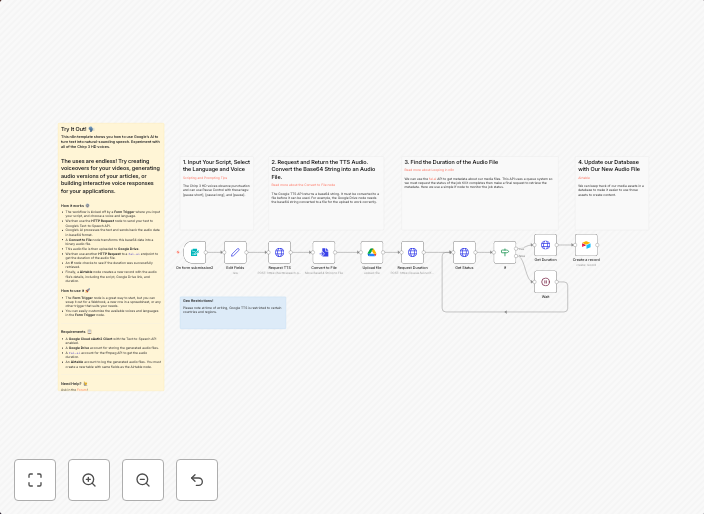
This workflow uses Google Text-to-Speech, Google Drive, and Airtable to generate high-quality natural voices from text. It enables effortless conversion of any text into stunningly realistic audio, ideal for content creation and multimodal AI applications. The automation streamlines the process of producing high-quality voiceovers.
Who Should Use This
This workflow is designed for developers, marketers, and business owners who need to create high-quality audio content for various purposes, such as video production, podcasts, or voice assistants.
Key Features
- Automatically converts text into high-quality, realistic audio using Google Text-to-Speech
- Stores generated audio files in Google Drive for easy access and management
- Integrates with Airtable to retrieve and process text data for voice generation
- Supports customization of voice characteristics, such as tone and pitch, for tailored results
How to Get Started
To use this workflow, import it into your n8n account and customize the settings according to your specific requirements, such as connecting your Google Drive and Airtable accounts, and configuring the voice characteristics.
Use This Workflow in n8n →Similar Workflows




Affiliate Disclosure: We may earn a commission if you sign up for n8n through our links. This doesn't affect our recommendations.