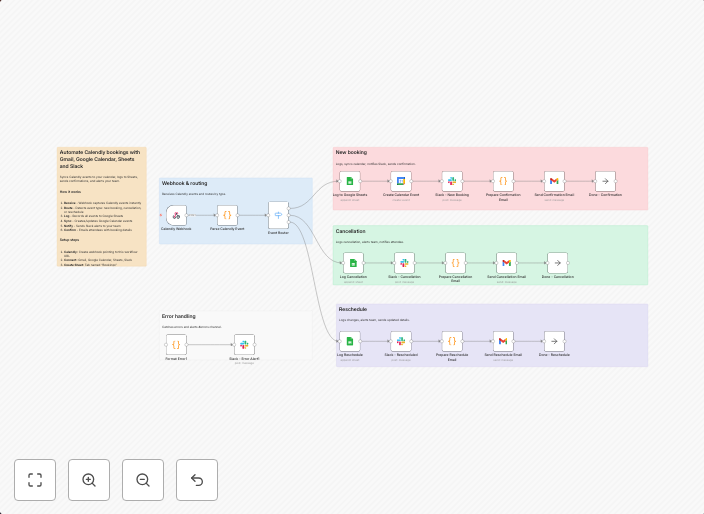
Handle Calendly bookings, cancellations and reschedules with Gmail, Google Calendar, Sheets and Slack
Complete Calendly automation that handles confirmations, cancellations and reschedules in a single workflow.WHAT IT DOES: Logs all meetings to Google Sheets...
Get This WorkflowAbout This Workflow
What This Workflow Does
This n8n automation workflow is a complete solution for managing Calendly bookings, cancellations, and reschedules. It integrates with Gmail, Google Calendar, Google Sheets, and Slack to automate tasks and ensure seamless meeting management. The workflow logs all meetings to Google Sheets, providing a centralized hub for tracking and analysis.
Who Should Use This
This workflow is suitable for business owners, marketers, and project managers who use Calendly for scheduling meetings and need a streamlined way to manage confirmations, cancellations, and reschedules.
Key Features
- Logs all meetings to Google Sheets for easy tracking and analysis
- Automates notifications for confirmations, cancellations, and reschedules via Gmail and Slack
- Integrates with Google Calendar to ensure up-to-date meeting information
- Handles reschedule requests and updates meeting schedules accordingly
How to Get Started
To use this workflow, import it into your n8n instance and customize the Gmail, Google Calendar, Google Sheets, and Slack connections to match your specific setup. You can then test the workflow with sample data to ensure it works as expected before putting it into production.
Use This Workflow in n8n →Similar Workflows




Affiliate Disclosure: We may earn a commission if you sign up for n8n through our links. This doesn't affect our recommendations.