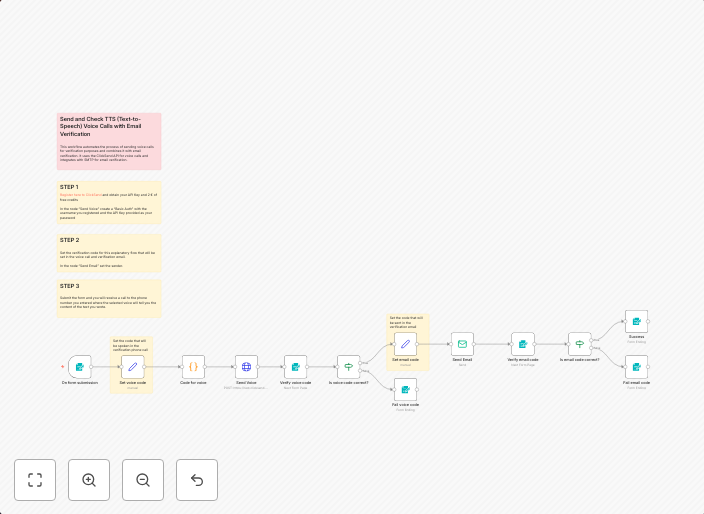
MFA multi-factor authentication (Voice call and Email) with ClickSend and SMTP
This workflow automates the process of sending voice calls for verification purposes and combines it with email verification. It uses the ClickSend API for...
Get This WorkflowAbout This Workflow
What This Workflow Does
This n8n automation workflow enables multi-factor authentication (MFA) by sending voice calls and emails for verification purposes, enhancing the security of applications and services. It integrates the ClickSend API for voice calls and an SMTP service for email verification. This automation streamlines the MFA process, providing an additional layer of security for users.
Who Should Use This
This workflow is suitable for developers, SecOps teams, and business owners who require robust multi-factor authentication to secure their applications and services. It's particularly useful for organizations handling sensitive data or requiring high-security measures.
Key Features
- Voice Call Verification: Sends voice calls to users for verification purposes using the ClickSend API.
- Email Verification: Sends emails to users for verification purposes using an SMTP service.
- Multi-Factor Authentication: Combines voice and email verification for enhanced security.
- Customizable: Allows users to customize the workflow to fit their specific security requirements.
How to Get Started
To use this workflow, import it into your n8n instance and customize the ClickSend and SMTP settings to fit your specific needs. You can then set up the workflow to trigger on user registration, login, or other events to automate the MFA process.
Use This Workflow in n8n →Similar Workflows




Affiliate Disclosure: We may earn a commission if you sign up for n8n through our links. This doesn't affect our recommendations.