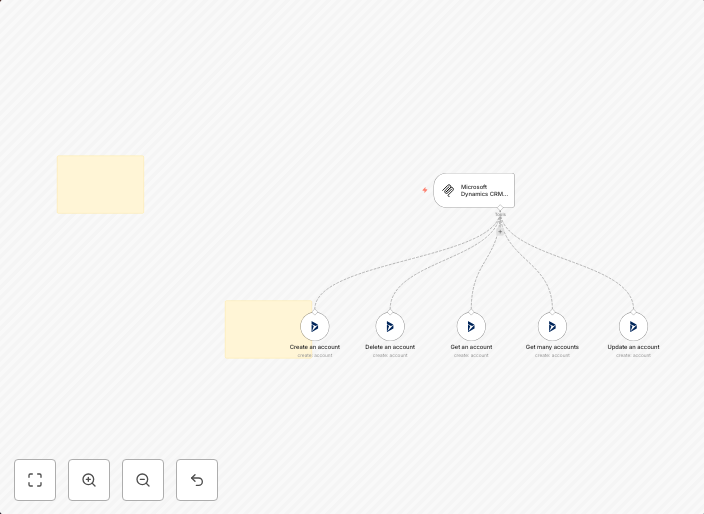
🛠️ Microsoft Dynamics CRM tool MCP server 💪 all 5 operations
Need help? Want access to this workflow + many more paid workflows + live Q&A sessions with a top verified n8n creator? Join the community Complete MCP...
Get This WorkflowAbout This Workflow
What This Workflow Does
This Microsoft Dynamics CRM tool MCP server workflow automates all 5 operations, allowing you to streamline your CRM data management and reduce manual errors. It enables you to synchronize your data efficiently and make the most out of your CRM system. With this workflow, you can save time and focus on more important tasks.
Who Should Use This
This workflow is ideal for developers, marketers, and business owners who rely on Microsoft Dynamics CRM for their customer relationship management needs. It's particularly useful for those who want to automate repetitive tasks and improve data consistency across their CRM system.
Key Features
- Automates all 5 operations for Microsoft Dynamics CRM tool MCP server
- Streamlines data management and reduces manual errors
- Enhances data consistency and synchronization
- Increases productivity by automating repetitive tasks
- Compatible with Microsoft Dynamics CRM system
How to Get Started
To use this workflow, simply import it into your n8n account and customize it according to your specific needs. You can then connect your Microsoft Dynamics CRM tool MCP server and start automating your data operations.
Use This Workflow in n8n →Similar Workflows




Affiliate Disclosure: We may earn a commission if you sign up for n8n through our links. This doesn't affect our recommendations.