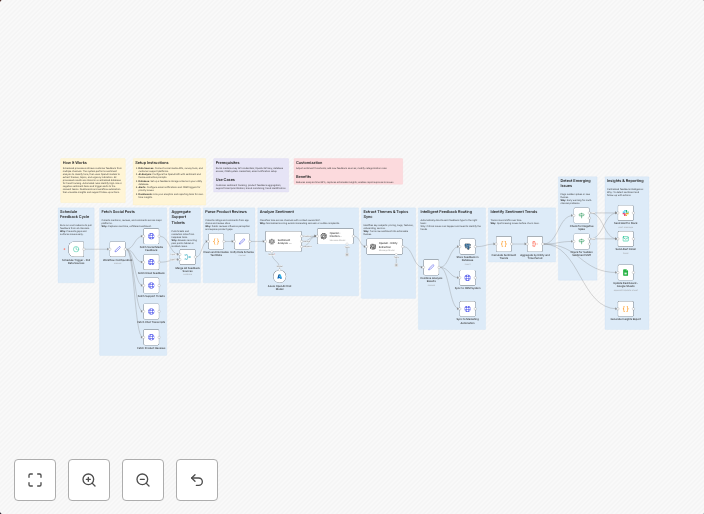
Multi-channel customer sentiment tracker with real-time analytics and alerting
How It WorksScheduled processes retrieve customer feedback from multiple channels. The system performs sentiment analysis to classify tone, then uses OpenAI...
Get This WorkflowAbout This Workflow
What This Workflow Does
This workflow automates customer sentiment tracking across multiple channels, leveraging real-time analytics and alerting to help businesses stay on top of customer feedback. It retrieves and analyzes customer feedback from various sources, providing valuable insights into customer sentiment and preferences. The system uses OpenAI for sentiment analysis, allowing for accurate classification of tone and emotions.
Who Should Use This
This workflow is ideal for marketers, product managers, and business owners who want to stay ahead of customer feedback and sentiment trends. It's perfect for companies looking to improve customer experience, identify areas for improvement, and make data-driven decisions.
Key Features
- Multi-channel customer feedback retrieval: Scheduled processes collect customer feedback from various sources, including social media, review platforms, and customer support tickets.
- Real-time sentiment analysis: OpenAI-powered sentiment analysis instantly classifies customer feedback as positive, negative, or neutral, providing accurate insights into customer tone and emotions.
- Alerting and notification: The workflow sends real-time alerts and notifications to designated team members when customer sentiment trends or specific keywords are detected, ensuring prompt action can be taken.
How to Get Started
To import and customize this workflow, simply download the n8n workflow file and import it into your n8n instance. Customize the workflow settings to fit your specific use case, including integrating your social media and review platform accounts, and configuring alerting and notification preferences.
Use This Workflow in n8n →Similar Workflows




Affiliate Disclosure: We may earn a commission if you sign up for n8n through our links. This doesn't affect our recommendations.