Pull references from Google AI mode to Google Sheets with DataForSEO
This workflow contains community nodes that are only compatible with the self-hosted version of n8n. Pull references from Google AI Mode with Who’s it for...
Get This WorkflowAbout This Workflow
What This Workflow Does
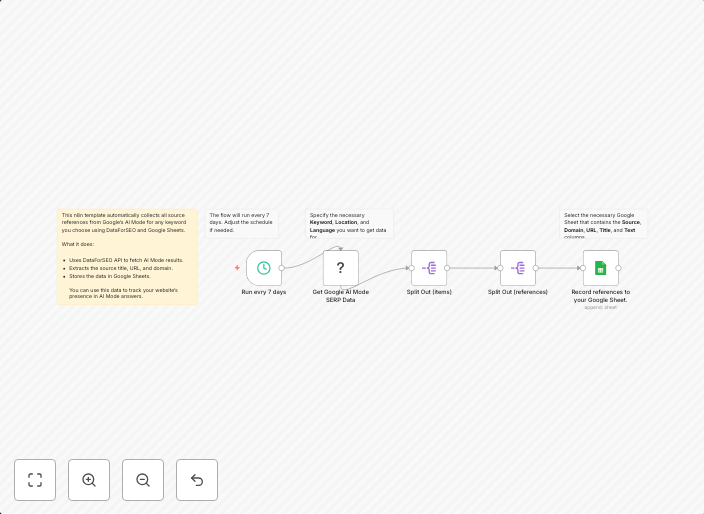
This n8n automation workflow pulls references from Google AI Mode, specifically from the "Who's it for..." section, and imports the data into a Google Sheets document using DataForSEO. The workflow retrieves relevant information from the AI mode and organizes it in a structured format within the spreadsheet.
Who Should Use This
This workflow is ideal for developers, marketers, and business owners who want to leverage Google AI Mode's capabilities for information gathering and data analysis. They can use this automation to streamline their workflow and gain valuable insights from the retrieved data.
Key Features
- Pulls references and data from Google AI Mode
- Imports data into a Google Sheets document
- Uses DataForSEO for seamless integration
- Retrieves specific information from the "Who's it for..." section
How to Get Started
To use this workflow, import it into your self-hosted n8n instance, and configure the nodes to connect with your Google AI Mode and Google Sheets accounts. You may need to customize the workflow to fit your specific needs and data sources.
Use This Workflow in n8n →Similar Workflows




Affiliate Disclosure: We may earn a commission if you sign up for n8n through our links. This doesn't affect our recommendations.