Scrape, structure, and store news data using Decodo, Gemini AI and Google Sheets
Sign up for Decodo HERE for Discount Automatically scrape, structure, and log forum or news content using Decodo and Google Gemini AI. This workflow...
Get This WorkflowAbout This Workflow
What This Workflow Does
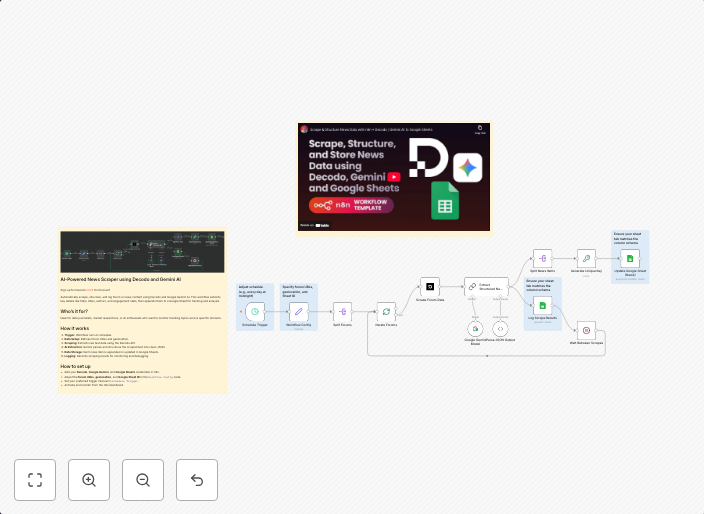
This n8n automation workflow allows users to scrape, structure, and store news data using a combination of Decodo, Gemini AI, and Google Sheets. It automatically extracts and summarizes relevant information from online sources, providing a structured and organized dataset. The workflow can be customized to suit specific needs, enabling users to gain valuable insights from market research.
Who Should Use This
This workflow is ideal for developers, marketers, and business owners who need to conduct market research, analyze news trends, or monitor online discussions related to their industry. By automating the data scraping and summarization process, users can save time and focus on making informed decisions.
Key Features
- Automated Data Scraping: The workflow uses Decodo to scrape news content from online sources.
- AI-Powered Summarization: Gemini AI provides automatic summarization of the scraped data, ensuring that users get a concise and accurate overview of the news.
- Structured Data Storage: The workflow stores the structured data in a Google Sheet, making it easy to analyze and visualize the results.
- Customizable: Users can modify the workflow to suit their specific needs, including selecting the sources to scrape and the level of summarization.
How to Get Started
To use this workflow, simply import it into your n8n account and customize the settings to match your needs. You will need to set up a Decodo account, a Gemini AI account, and a Google Sheets account to use this workflow effectively.
Use This Workflow in n8n →Similar Workflows




Affiliate Disclosure: We may earn a commission if you sign up for n8n through our links. This doesn't affect our recommendations.