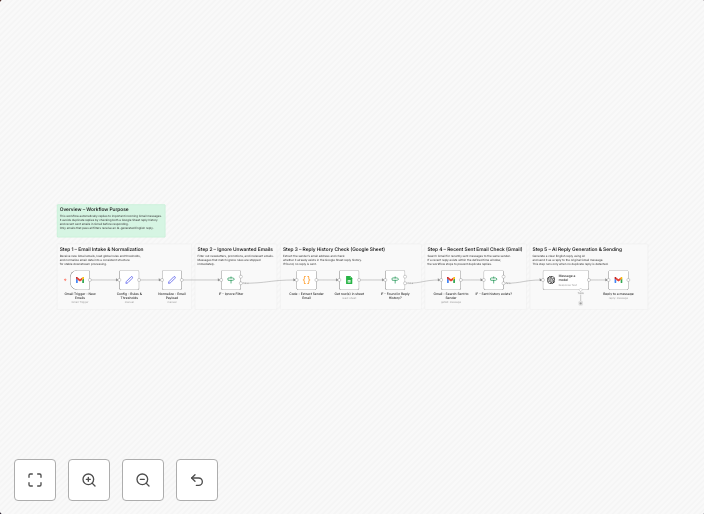
Send AI-generated Gmail auto replies with GPT-4o-mini and Google Sheets
Overview This workflow automatically replies to important incoming Gmail messages using AI, while preventing duplicate or unnecessary replies. It applies...
Get This WorkflowAbout This Workflow
What This Workflow Does
This workflow automates the process of sending AI-generated Gmail auto replies to important incoming messages using GPT-4o-mini and Google Sheets. It ensures that duplicate or unnecessary replies are prevented, allowing users to focus on more important tasks. By leveraging AI, this workflow streamlines ticket management and saves time.
Who Should Use This
This workflow is ideal for business owners, developers, and marketers who rely on efficient ticket management and want to leverage the power of AI to automate repetitive tasks. Whether you're handling customer support inquiries or internal team communication, this workflow can help you stay on top of your workload.
Key Features
- AI-generated replies: Uses GPT-4o-mini to generate intelligent and informative auto replies based on the content of incoming messages.
- Duplicate reply prevention: Prevents unnecessary replies from being sent, ensuring that users only respond to important messages.
- Integration with Google Sheets: Allows users to store and manage important information in a centralized location.
- Customizable: Can be easily customized to fit specific business needs and workflows.
How to Get Started
To get started with this workflow, simply import it into your n8n environment and customize the settings to fit your specific Gmail and Google Sheets configurations. From there, you can start automating your ticket management and AI-generated auto replies.
Use This Workflow in n8n →Similar Workflows




Affiliate Disclosure: We may earn a commission if you sign up for n8n through our links. This doesn't affect our recommendations.