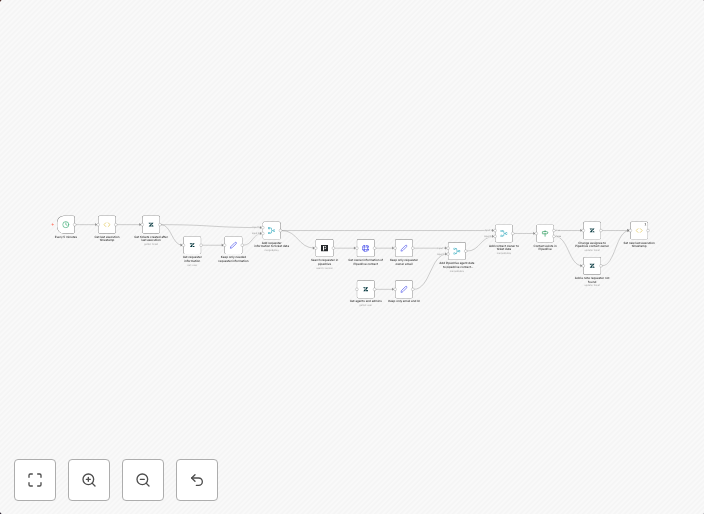
Send Zendesk tickets to Pipedrive contacts and assign tasks
This workflow automatically sends Zendesk tickets to Pipedrive contacts and makes them task assignees. The automation is triggered every 5 minutes, with...
Get This WorkflowAbout This Workflow
What This Workflow Does
This workflow automates the process of sending Zendesk tickets to Pipedrive contacts and assigning them as task assignees. It ensures seamless integration between Zendesk and Pipedrive, streamlining ticket management and sales workflows. This automation triggers every 5 minutes to ensure timely updates.
Who Should Use This
This workflow is ideal for business owners, sales teams, and customer support specialists who use Zendesk for ticket management and Pipedrive for CRM. By automating this process, they can save time, reduce manual errors, and improve the overall efficiency of their sales and support workflows.
Key Features
- Automatic Ticket Assignment: Zendesk tickets are automatically assigned to Pipedrive contacts, ensuring that the right team members are notified and working on the right tasks.
- 5-Minute Trigger: The workflow triggers every 5 minutes to ensure that updates are reflected in Pipedrive in real-time.
- Seamless Integration: The workflow integrates Zendesk and Pipedrive, eliminating the need for manual data entry and reducing the risk of errors.
- Enhanced Collaboration: By assigning tasks to Pipedrive contacts, team members can collaborate more effectively and stay aligned on sales and support efforts.
How to Get Started
To use this workflow, import it into your n8n account and customize it to fit your specific needs. You may need to set up API connections to your Zendesk and Pipedrive accounts, but the workflow is designed to be easy to use and configure.
Use This Workflow in n8n →Similar Workflows




Affiliate Disclosure: We may earn a commission if you sign up for n8n through our links. This doesn't affect our recommendations.