Summarize RSS news with Gemini AI and store in Google Sheets
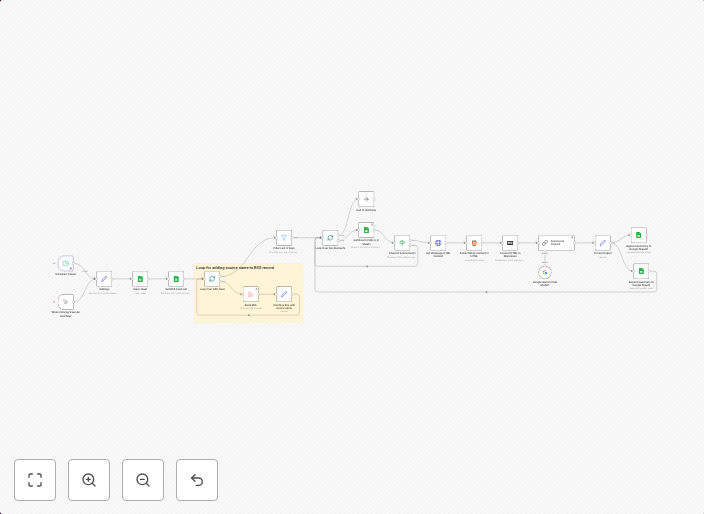
This workflow pulls articles from multiple RSS feeds, filters them by date, fetches the full webpage content, and summarizes each article into a clean,...
Get This WorkflowAbout This Workflow
What This Workflow Does
This workflow uses n8n to automate the process of summarizing news articles from multiple RSS feeds. It fetches the full webpage content, filters the articles by date, and uses Gemini AI to summarize each article into a clean and concise format. The summarized articles are then stored in a Google Sheets document.
Who Should Use This
This workflow is ideal for market researchers, business owners, and anyone who needs to stay up-to-date with news from multiple sources and requires a summary of the articles. It's perfect for those who want to save time and effort in manually processing and summarizing news articles.
Key Features
- Multiple RSS Feed Support: Supports fetching articles from multiple RSS feeds, allowing you to stay up-to-date with news from various sources.
- Article Filtering by Date: Filters the articles by date, ensuring that you receive the most recent news.
- Gemini AI Summarization: Uses Gemini AI to summarize each article into a clean and concise format, saving you time and effort.
- Google Sheets Integration: Stores the summarized articles in a Google Sheets document, making it easy to access and analyze the data.
How to Get Started
To get started with this workflow, import it into n8n, customize the RSS feed URLs and the Google Sheets document settings to fit your needs. Then, simply trigger the workflow to start summarizing your news articles.
Use This Workflow in n8n →Similar Workflows




Affiliate Disclosure: We may earn a commission if you sign up for n8n through our links. This doesn't affect our recommendations.