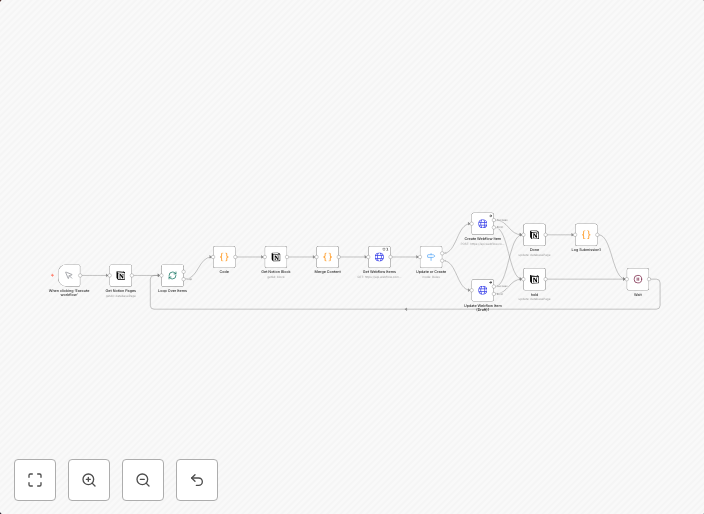
Sync Notion content to Webflow CMS as draft items with status tracking
How it works: This template takes approved Notion pages and syncs them to a Webflow CMS collection as draft items. It reads pages marked Status = Ready for...
Get This WorkflowAbout This Workflow
What This Workflow Does
This workflow automates the process of syncing approved Notion pages to a Webflow CMS collection as draft items, allowing for seamless content creation and management. It tracks the status of these pages, making it easier to monitor and organize content across both platforms. By streamlining this process, users can save time and increase productivity.
Who Should Use This
This workflow is ideal for developers, marketers, and business owners who rely on Notion and Webflow for content creation and management. It's particularly useful for teams that need to collaborate on content across multiple platforms.
Key Features
- Syncs Notion pages to Webflow CMS: Automatically transfers approved Notion pages to a designated Webflow CMS collection.
- Creates draft items: Notion pages are synced to Webflow as draft items, allowing for easy editing and review.
- Tracks status updates: The workflow monitors status changes in Notion, ensuring that only approved pages are synced to Webflow.
- Flexibility and customization: Users can easily customize the workflow to fit their specific use case and integrate with other n8n workflows.
How to Get Started
To start using this workflow, simply import it into your n8n account and customize the settings to connect your Notion and Webflow integrations. From there, you can begin syncing your approved Notion pages to Webflow and start enjoying the benefits of streamlined content management.
Use This Workflow in n8n →Similar Workflows




Affiliate Disclosure: We may earn a commission if you sign up for n8n through our links. This doesn't affect our recommendations.