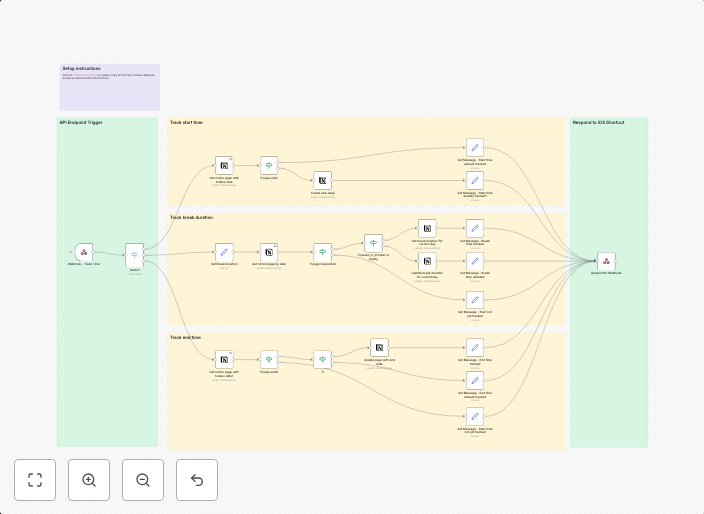
Time tracking with Notion and iOS shortcut
Who might benfit from this workflow?Do you have to record your working hours yourself? Then this n8n workflow in combination with an iOS shortcut will...
Get This WorkflowAbout This Workflow
What This Workflow Does
This n8n automation workflow integrates with Notion and iOS shortcuts to automate time tracking. By combining these tools, it streamlines the process of recording working hours and allows users to easily track their time. The workflow aims to minimize manual effort and provide accurate time tracking data.
Who Should Use This
This workflow is ideal for freelancers, remote workers, and small business owners who need to track their time spent on various projects. It's also suitable for anyone who wants to improve their personal productivity and time management.
Key Features
- Automatically logs working hours in Notion based on iOS shortcut triggers
- Allows users to easily categorize tasks and projects
- Integrates time tracking data for accurate project billing and reporting
- Can be customized to fit individual workflow needs
How to Get Started
To use this workflow, simply import it into your n8n account and customize the Notion and iOS shortcut integrations to fit your specific needs. Make sure to configure the workflow to match your project structure and time tracking requirements.
Use This Workflow in n8n →Similar Workflows




Affiliate Disclosure: We may earn a commission if you sign up for n8n through our links. This doesn't affect our recommendations.