Transforming scripts into engaging Instagram Reels with Blotato: featuring unique human review
Stop wasting time on video editing! This template is designed for content creators and marketers who need a fast, scalable way to convert simple text...
Get This WorkflowAbout This Workflow
What This Workflow Does
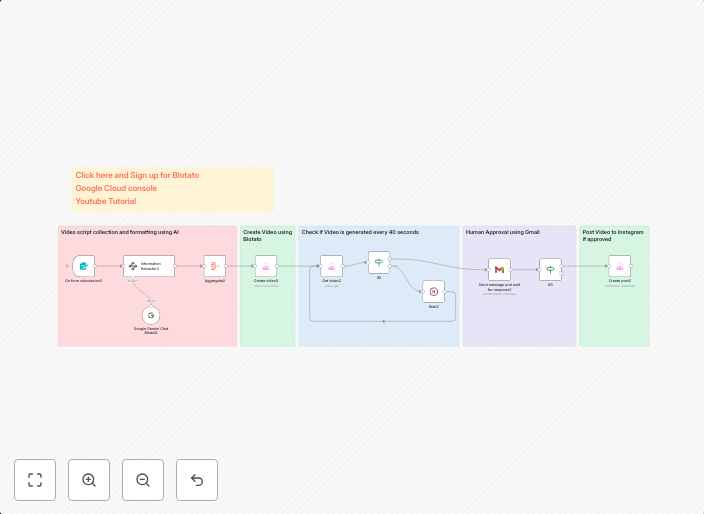
This n8n automation workflow transforms simple text into engaging Instagram Reels using Blotato and a unique human review feature. It streamlines the content creation process for content creators and marketers, saving them time and effort on video editing. With this workflow, users can quickly convert text into visually appealing Reels.
Who Should Use This
This workflow is ideal for content creators, marketers, and businesses looking to create engaging Instagram content at scale. It's perfect for those who want to save time on video editing and focus on other aspects of their content strategy.
Key Features
- Automated Text-to-Reel Conversion: This workflow uses Blotato to convert text into engaging Instagram Reels, saving users time and effort.
- Unique Human Review: The workflow incorporates a human review feature to ensure high-quality content and catch any errors or inconsistencies.
- Scalable Content Creation: With this workflow, users can quickly create multiple Instagram Reels from a single text source, making it ideal for large-scale content creation.
- Integration with Instagram: The workflow seamlessly integrates with Instagram, allowing users to publish their Reels directly to their accounts.
How to Get Started
To use this workflow, simply import it into your n8n account and customize the settings to fit your needs. Configure the workflow to connect with your Instagram account and Blotato API, and start creating engaging Instagram Reels in no time.
Use This Workflow in n8n →Similar Workflows




Affiliate Disclosure: We may earn a commission if you sign up for n8n through our links. This doesn't affect our recommendations.