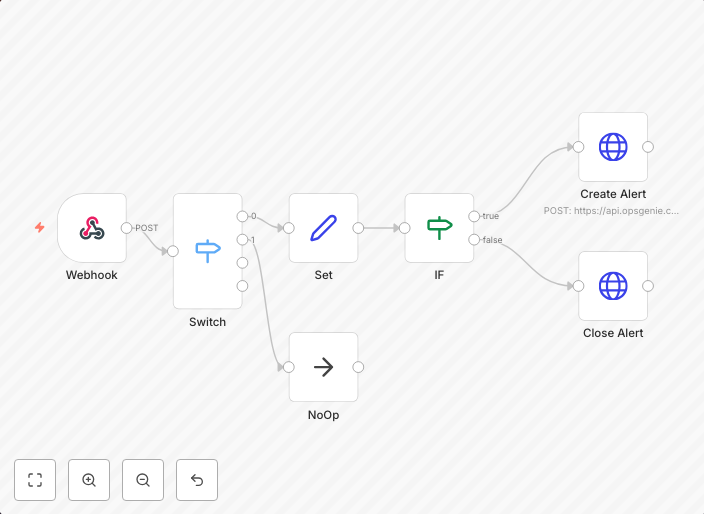
Triage alerts from Syncro and submit to OpsGenie
This workflow will take an alert from Syncro, determine if it's an agent_offline_trigger type, then determine if it's a new alert or a close to an existing...
Get This WorkflowAbout This Workflow
What This Workflow Does
This workflow automates the process of triaging alerts from Syncro, identifying agentofflinetrigger type alerts, and submitting them to OpsGenie. It helps streamline alert handling by determining whether an alert is new or a close to an existing incident. This automation ensures timely and efficient incident management.
Who Should Use This
This workflow is ideal for DevOps teams and IT professionals responsible for managing alerts and incidents from various sources, including Syncro and OpsGenie.
Key Features
- Takes alerts from Syncro and filters agentofflinetrigger type alerts
- Determines whether an alert is new or a close to an existing incident
- Submits alerts to OpsGenie for prompt incident management
- Automates the tedious task of triaging and submitting alerts, saving time and reducing manual errors
How to Get Started
To use this workflow, import it into your n8n instance and configure the Syncro and OpsGenie integrations according to your setup. Customize the workflow settings to fit your specific requirements and alert management process.
Use This Workflow in n8n →Similar Workflows




Affiliate Disclosure: We may earn a commission if you sign up for n8n through our links. This doesn't affect our recommendations.