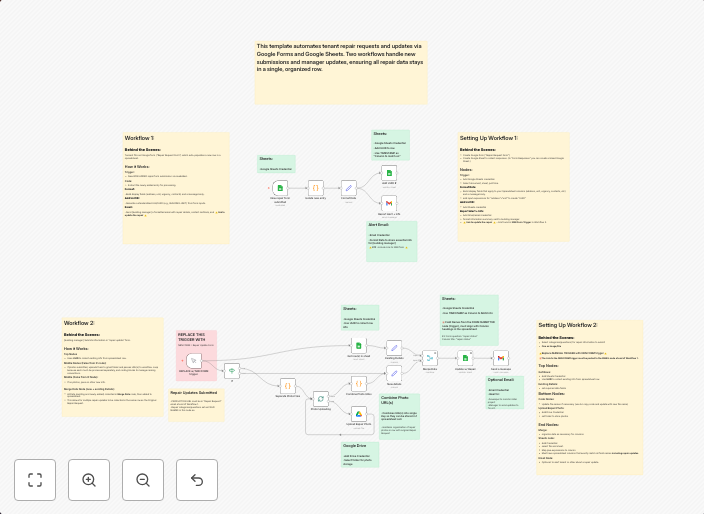
Two-way property repair management system with Google Sheets & Drive
This workflow automates the repair request process between tenants and building managers, keeping all updates organized in a single spreadsheet. It is...
Get This WorkflowAbout This Workflow
What This Workflow Does
This workflow automates the repair request process by synchronizing updates between tenants and building managers, ensuring a seamless and efficient communication flow. It utilizes Google Sheets and Drive for data storage and organization, providing a centralized hub for all repair requests. This integration streamlines the property repair management process, reducing the risk of miscommunication and lost information.
Who Should Use This
This workflow is ideal for building managers, property owners, and facilities teams responsible for managing repair requests and tenant communication in multi-unit properties. It's perfect for those looking to simplify their property repair management process and reduce administrative burdens.
Key Features
- Two-way property repair management: Syncs repair requests and updates between tenants and building managers, ensuring both parties are always informed.
- Centralized data storage: Utilizes Google Sheets and Drive for storing all repair requests and updates, providing a single source of truth.
- Automated notifications: Sends notifications to relevant parties when new repair requests are made or when updates are submitted.
How to Get Started
To get started, import this workflow into your n8n instance and configure the Google Sheets and Drive integrations to connect with your existing accounts. Customize the workflow to fit your specific property repair management needs, and start enjoying a more efficient and organized process.
Use This Workflow in n8n →Similar Workflows




Affiliate Disclosure: We may earn a commission if you sign up for n8n through our links. This doesn't affect our recommendations.