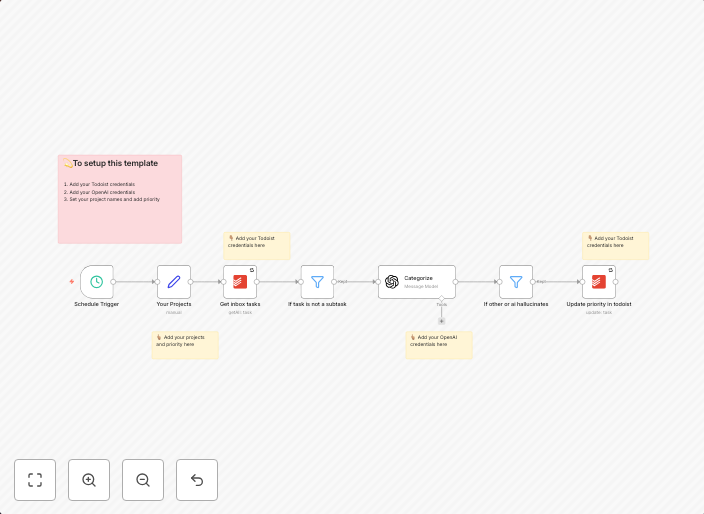
Use AI to organize your Todoist inbox
How it worksThis workflow adds a priority to each Todoist item in your inbox, based on a list of projects that you add in the workflow. SetupAdd your...
Get This WorkflowAbout This Workflow
What This Workflow Does
This workflow uses artificial intelligence to automatically assign priorities to each item in your Todoist inbox, making it easier to manage and focus on the most important tasks. It relies on a list of projects that you provide in the workflow to determine the priority level. This automation helps you streamline your task management and increase productivity.
Who Should Use This
This workflow is ideal for anyone who uses Todoist to manage their tasks and projects, particularly those who have a large inbox and struggle to prioritize their tasks effectively.
Key Features
- Automatically assigns priority levels to each Todoist item in your inbox
- Uses a list of projects provided in the workflow to determine priority levels
- Helps to quickly and efficiently prioritize tasks and increase productivity
- Integrates with Todoist to provide real-time task management
How to Get Started
To get started with this workflow, import it into your n8n account and customize the list of projects that you want to use for prioritization. You can then set up the workflow to run automatically, ensuring that your Todoist inbox is always up-to-date and your tasks are properly prioritized.
Use This Workflow in n8n →Similar Workflows




Affiliate Disclosure: We may earn a commission if you sign up for n8n through our links. This doesn't affect our recommendations.