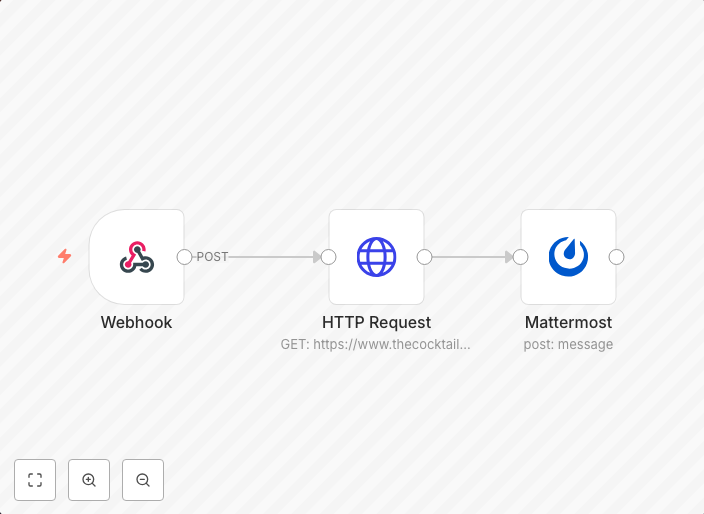
Webhooks with Mattermost
Does pretty much what this workflow does but is triggered by a slash command using a Webhook node.
Get This WorkflowAbout This Workflow
What This Workflow Does
This workflow allows you to send automated messages to Mattermost channels using a webhook integration. It leverages the power of webhooks to create a seamless communication flow between external services and Mattermost. This workflow can be used to notify teams about specific events, trigger workflows, or simply send updates.
Who Should Use This
This workflow is ideal for developers, system administrators, and business owners who want to enhance their Mattermost experience with automated integrations. It's perfect for those who need to streamline communication, automate tasks, or create custom workflows within their teams.
Key Features
- Sends automated messages to Mattermost channels using a webhook integration
- Compatible with various external services that support webhooks
- Allows for customizable message formatting and content
- Triggered by a slash command, providing a user-friendly interface for initiating workflows
How to Get Started
To get started with this workflow, simply import it into your n8n instance and customize the webhook settings to match your Mattermost channel and external service configurations. You can then use the slash command to trigger the workflow and start automating your communication flows.
Use This Workflow in n8n →Similar Workflows




Affiliate Disclosure: We may earn a commission if you sign up for n8n through our links. This doesn't affect our recommendations.