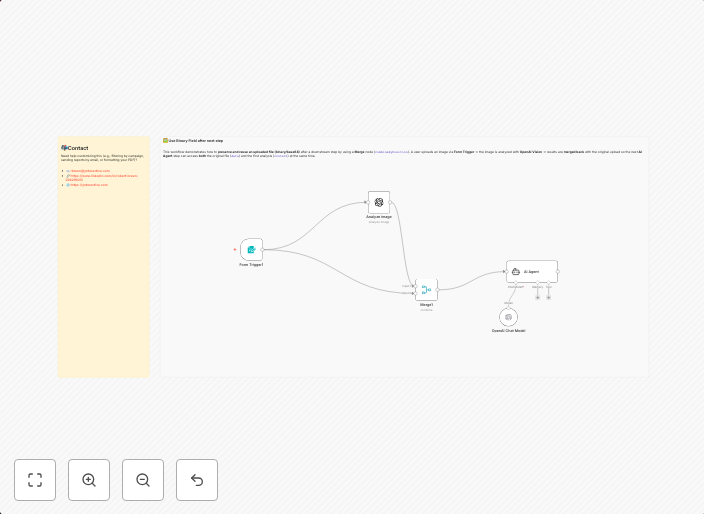
Analyze images with OpenAI Vision while preserving binary data for reuse
Use this template to upload an image, run a first-pass OpenAI Vision analysis, then re-attach the original file (binary/base64) to the next step using a...
Get This WorkflowAbout This Workflow
What This Workflow Does
This workflow automates the process of analyzing images with OpenAI Vision while preserving the original binary data for potential reuse. It involves uploading an image, conducting an initial OpenAI Vision analysis, and then re-attaching the original file to the next step in the workflow. This preserves the binary data, allowing it to be utilized in subsequent processes or integrations.
Who Should Use This
This workflow is ideal for developers and engineers working on projects that involve image analysis and AI-driven insights, such as product engineering, computer vision research, or computer-aided design.
Key Features
- Uploads an image to the workflow for analysis
- Runs a first-pass OpenAI Vision analysis on the uploaded image
- Preserves the original binary data by re-attaching the file to the next step
- Enables the reuse of the original image in subsequent processes or integrations
- Utilizes OpenAI Vision for AI-driven insights and analysis
How to Get Started
To use this workflow, simply import it into your n8n environment and customize the image upload and OpenAI Vision API credentials to suit your specific needs. Review and adjust the workflow steps as necessary to ensure seamless integration with your existing processes and integrations.
Use This Workflow in n8n →Similar Workflows




Affiliate Disclosure: We may earn a commission if you sign up for n8n through our links. This doesn't affect our recommendations.