Automate daily workflow backups to Google Drive
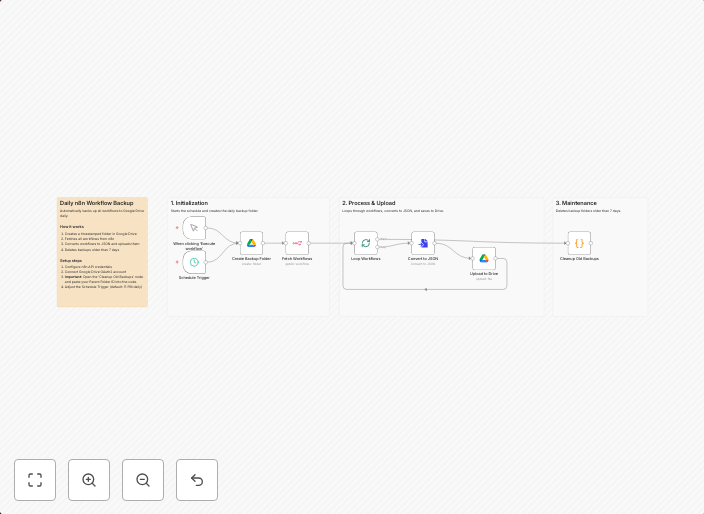
Daily n8n Workflow BackupAutomatically backs up all workflows to Google Drive daily. How it worksTriggers daily at 11 PM (or manually on demand)Creates a...
Get This WorkflowAbout This Workflow
What This Workflow Does
This automation workflow backs up n8n workflows daily to Google Drive, ensuring data security and easy recovery in case of system failures or data loss. It achieves this by triggering a daily backup at 11 PM (or on manual demand) and saving all workflows to Google Drive. This safeguard helps protect your workflow configurations and data.
Who Should Use This
This workflow is ideal for developers, DevOps teams, and business owners who rely on n8n for their workflow automation needs and want to ensure business continuity through data backups.
Key Features
- Triggers daily at 11 PM (or manually on demand) for automatic backups
- Creates a backup of all n8n workflows and saves them to Google Drive
- Provides a safeguard against data loss due to system failures or manual errors
- Offers flexibility through manual on-demand backup triggers for immediate backup needs
How to Get Started
To use this workflow, import it into your n8n instance and customize the settings as needed. This may involve updating the Google Drive credentials and adjusting the backup schedule to suit your organization's requirements.
Use This Workflow in n8n →Similar Workflows




Affiliate Disclosure: We may earn a commission if you sign up for n8n through our links. This doesn't affect our recommendations.