Automate Instagram carousel posts with Google Sheets, Drive & Cloudinary
Who is this for? This workflow is ideal for social media managers, content creators, marketers, and small businesses who want to automate Instagram Carousel...
Get This WorkflowAbout This Workflow
What This Workflow Does
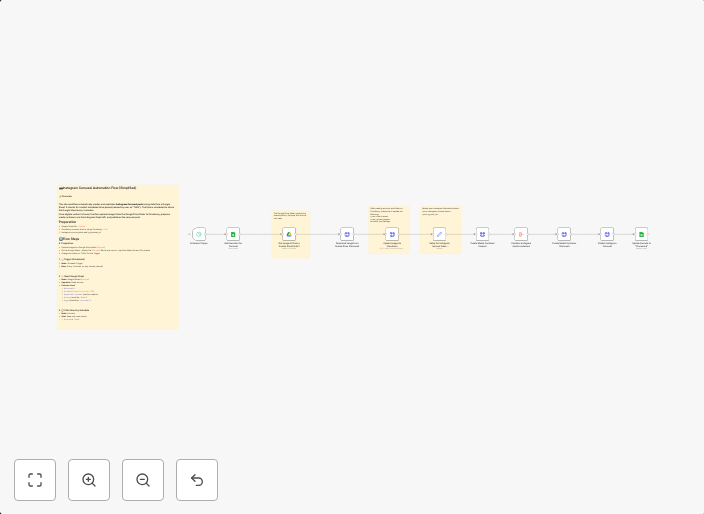
This workflow automates the process of creating and posting Instagram carousel posts using data from Google Sheets and images from Cloudinary. It streamlines social media management by reducing the time and effort required to create and publish carousel posts.
Who Should Use This
This workflow is ideal for social media managers, content creators, marketers, and small businesses who want to automate their Instagram content posting process and enhance their visual storytelling.
Key Features
- Imports data from a Google Sheets document to create Instagram carousel posts
- Uploads images from Cloudinary to create visually appealing carousel posts
- Customizable post settings allow for fine-tuning of post metadata and captions
- Automated posting to Instagram, reducing manual content creation and posting time
How to Get Started
To start using this workflow, import the pre-built n8n workflow file into your n8n instance and customize the settings to fit your specific needs. Configure the Google Sheets integration to connect to your data source and set up Cloudinary to serve your images, then start automating your Instagram content posting process.
Use This Workflow in n8n →Similar Workflows

Affiliate Disclosure: We may earn a commission if you sign up for n8n through our links. This doesn't affect our recommendations.