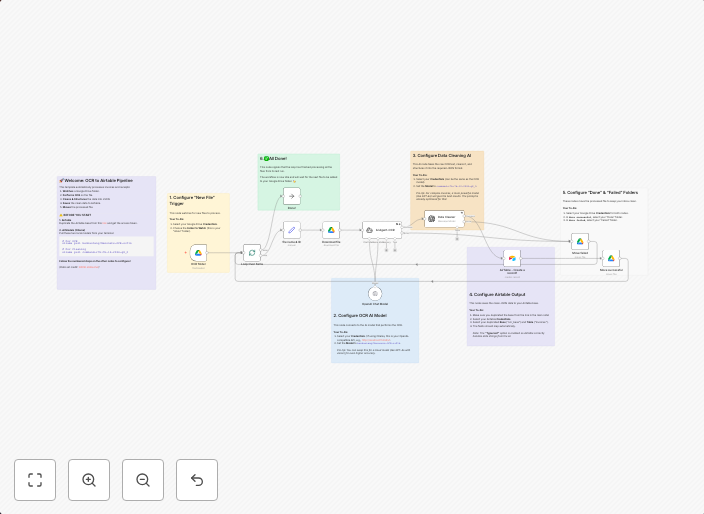
Automate invoice data extraction from Google Drive to Airtable using Nanonets OCR & Command-R
How it worksThis template creates a fully automated "hands-off" pipeline for processing financial documents. It's perfect for small businesses, freelancers,...
Get This WorkflowAbout This Workflow
What This Workflow Does
This workflow automates the extraction of invoice data from financial documents stored in Google Drive using Nanonets OCR and Command-R, and then imports the data into Airtable. The result is a hands-off process for processing and organizing financial documents, saving time and effort. The extracted data is accurately stored in a structured format.
Who Should Use This
This workflow is suitable for small businesses, freelancers, and individuals who need to process large volumes of financial documents, such as invoices, receipts, and contracts.
Key Features
- Connects to Google Drive to retrieve financial documents
- Uses Nanonets OCR to automatically extract data from the documents
- Uses Command-R to enhance data extraction accuracy
- Imports the extracted data into Airtable for organized storage
How to Get Started
To use this workflow, simply import it into your n8n account and configure the Google Drive, Nanonets OCR, and Airtable integrations. Customize the workflow settings to fit your specific needs, and then test it with a sample document to ensure accuracy.
Use This Workflow in n8n →Similar Workflows




Affiliate Disclosure: We may earn a commission if you sign up for n8n through our links. This doesn't affect our recommendations.