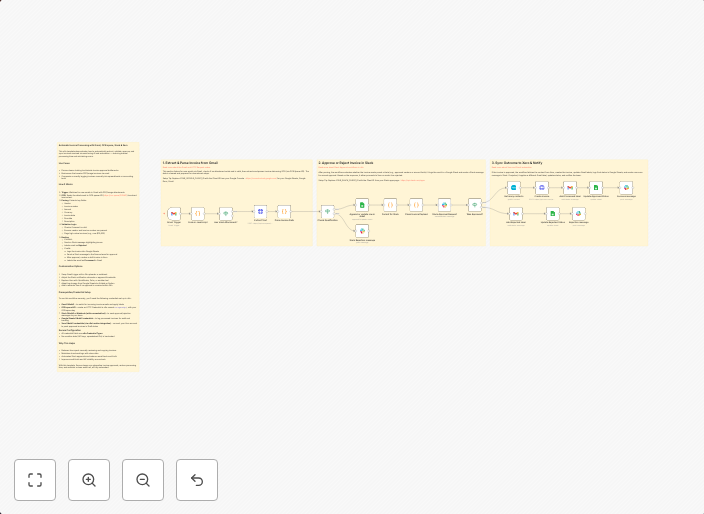
Automate invoice processing with Gmail, OCR.space, Slack & Xero
How It Works Trigger: Watches for new emails in Gmail with PDF/image attachments. OCR: Sends the attachment to OCR.space API (https://ocr.space/OCRAPI) to...
Get This WorkflowAbout This Workflow
What This Workflow Does
Automate the processing of invoices received via email by extracting text from attachments, summarizing the data, and updating your accounting records. This workflow integrates Gmail, OCR.space, Slack, and Xero to streamline your invoice management. It enables you to stay on top of your financial tasks with minimal manual effort.
Who Should Use This
This workflow is ideal for business owners, accountants, and finance teams who rely on email for receiving invoices and want to automate the process of extracting data and updating their accounting records.
Key Features
- Gmail Email Trigger: Watches for new emails with PDF or image attachments, indicating an incoming invoice.
- OCR.space API Integration: Extracts text from attachments using OCR.space, making it possible to analyze and process invoice data.
- Slack Notification: Sends a notification to the specified Slack channel, keeping you informed about new invoices.
- Xero Integration: Updates your Xero accounting records with the extracted invoice data, ensuring your financial records are up-to-date.
How to Get Started
To use this workflow, import it into your n8n account and customize it by connecting your Gmail, OCR.space, Slack, and Xero accounts. Configure the workflow settings to match your specific requirements, and it will automatically start processing your incoming invoices.
Use This Workflow in n8n →Similar Workflows




Affiliate Disclosure: We may earn a commission if you sign up for n8n through our links. This doesn't affect our recommendations.