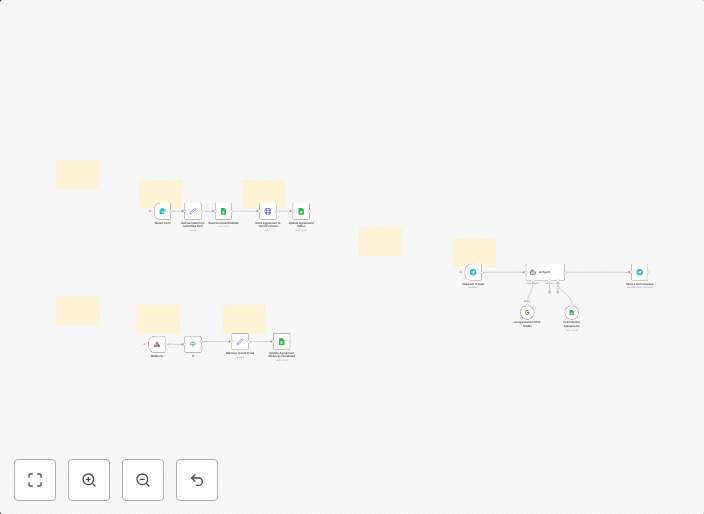
Automate rental agreements with BoldSign, Google Sheets & Gemini AI
Complete Video Documentation: https://youtu.be/O-bKlX3G7_4 Explanation WITH clean Video timestamps: Prerequisites: You need a rental agreement document, a...
Get This WorkflowAbout This Workflow
What This Workflow Does
This workflow automates the process of managing rental agreements by integrating BoldSign for document signing, Google Sheets for data storage, and Gemini AI for document extraction. It streamlines the workflow by automating tasks such as document signing, data extraction, and storage. This workflow enables users to efficiently handle rental agreements and related tasks.
Who Should Use This
This workflow is ideal for property managers, landlords, or real estate agents who need to efficiently manage rental agreements and related documents. It is also suitable for businesses that require automation of document signing and data extraction processes.
Key Features
- Document Signing: Automates the signing of rental agreements using BoldSign.
- Data Extraction: Uses Gemini AI to extract relevant information from rental agreements, such as tenant details and lease terms.
- Data Storage: Stores extracted data in Google Sheets for easy access and management.
How to Get Started
To get started with this workflow, import it into your n8n instance and customize the settings to fit your specific needs. You will need to connect your BoldSign, Google Sheets, and Gemini AI accounts to the workflow, and configure the document signing and data extraction settings as required.
Use This Workflow in n8n →Similar Workflows




Affiliate Disclosure: We may earn a commission if you sign up for n8n through our links. This doesn't affect our recommendations.