Automatic background removal for images in Google Drive
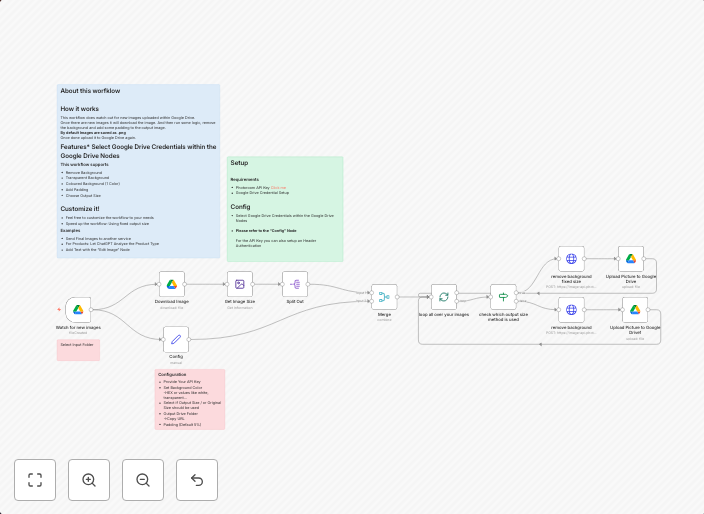
This n8n workflow simplifies the process of removing backgrounds from images stored in Google Drive. By leveraging the PhotoRoom API, this template enables...
Get This WorkflowAbout This Workflow
Automatic Background Removal for Images in Google Drive
What This Workflow Does
This n8n workflow automates background removal from images stored in Google Drive, leveraging the PhotoRoom API for efficient and high-quality results. The workflow saves time by streamlining a process that would otherwise require manual editing, making it ideal for businesses and marketers who need to process large volumes of images quickly. The output is a new image with the background removed, ready for use in various content creation applications.
Who Should Use This
This workflow is suitable for content creators, marketers, and business owners who frequently require background removal from images stored in Google Drive, such as e-commerce businesses, social media managers, and graphic designers.
Key Features
- Automated Background Removal: Leverages the PhotoRoom API to automatically remove backgrounds from images in Google Drive.
- Integration with Google Drive: Retrieves images from Google Drive and processes them for background removal.
- Efficient Image Processing: Saves time by streamlining a process that would otherwise require manual editing.
How to Get Started
To get started, import the workflow into your n8n account and customize it by connecting your Google Drive and PhotoRoom API credentials. Configure the workflow settings to suit your specific needs, and test the automation with a sample image.
Use This Workflow in n8n →Similar Workflows




Affiliate Disclosure: We may earn a commission if you sign up for n8n through our links. This doesn't affect our recommendations.